

How can I select the winner?
Online version: https://help.allmaz.az/guides/sourcing/select-winner/
The winner is chosen on the Winner selection tab once the event is in Awarding: set the supplier to Winner, give the awarding reason and save.
-
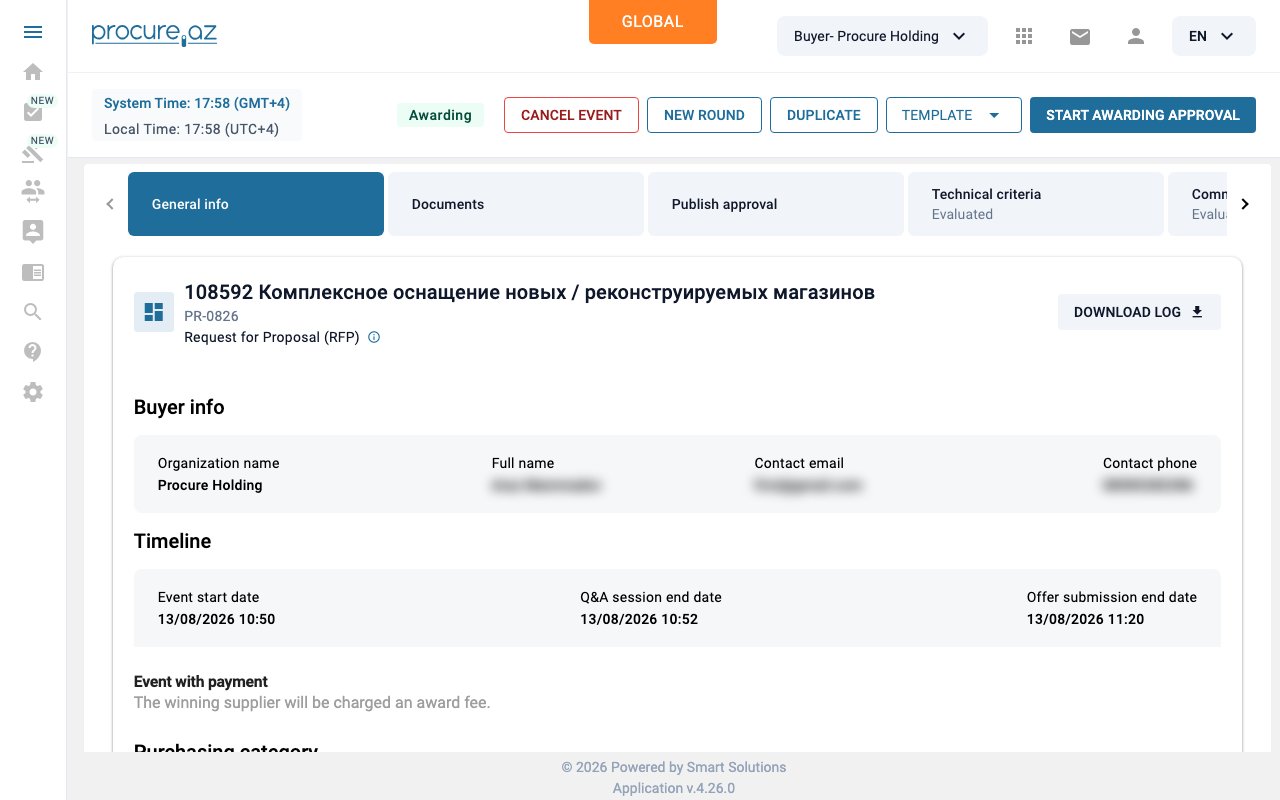
Open Winner selection
Open the event (status Awarding) and click the Winner selection tab. Use the arrow at the right of the tabs if it is hidden.
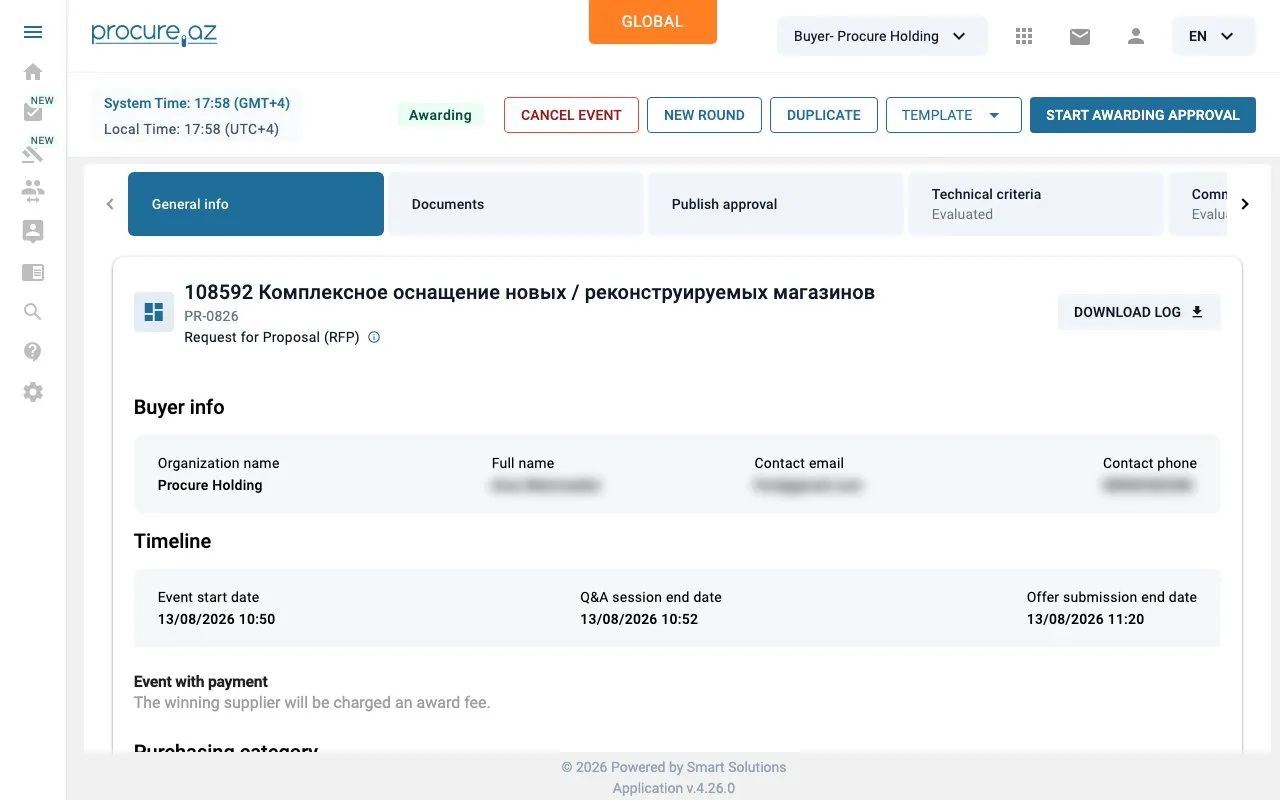
Step 1: Open Winner selection. -
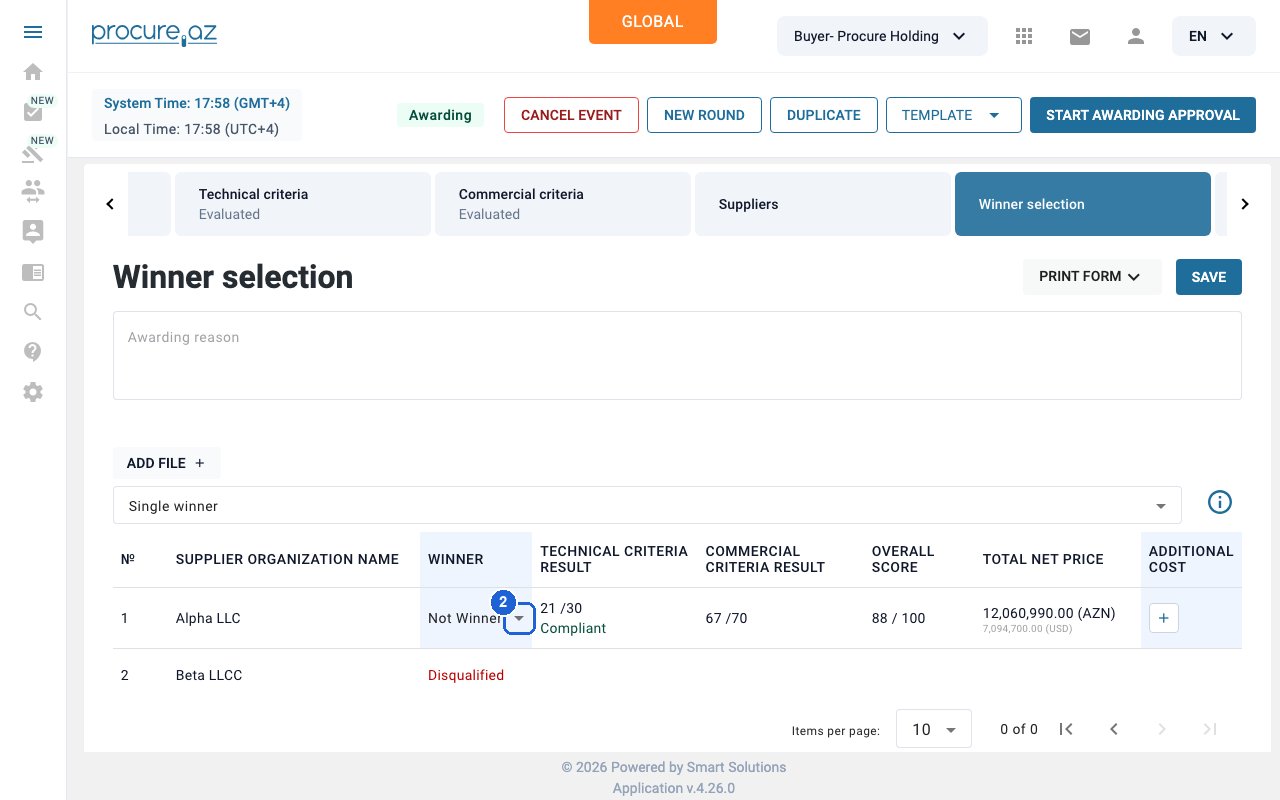
Mark the winner
Leave the mode on “Single winner” (or choose “Cherry-pick” to award lots or lines to different suppliers). In the supplier’s WINNER column, change “Not Winner” to “Winner”.
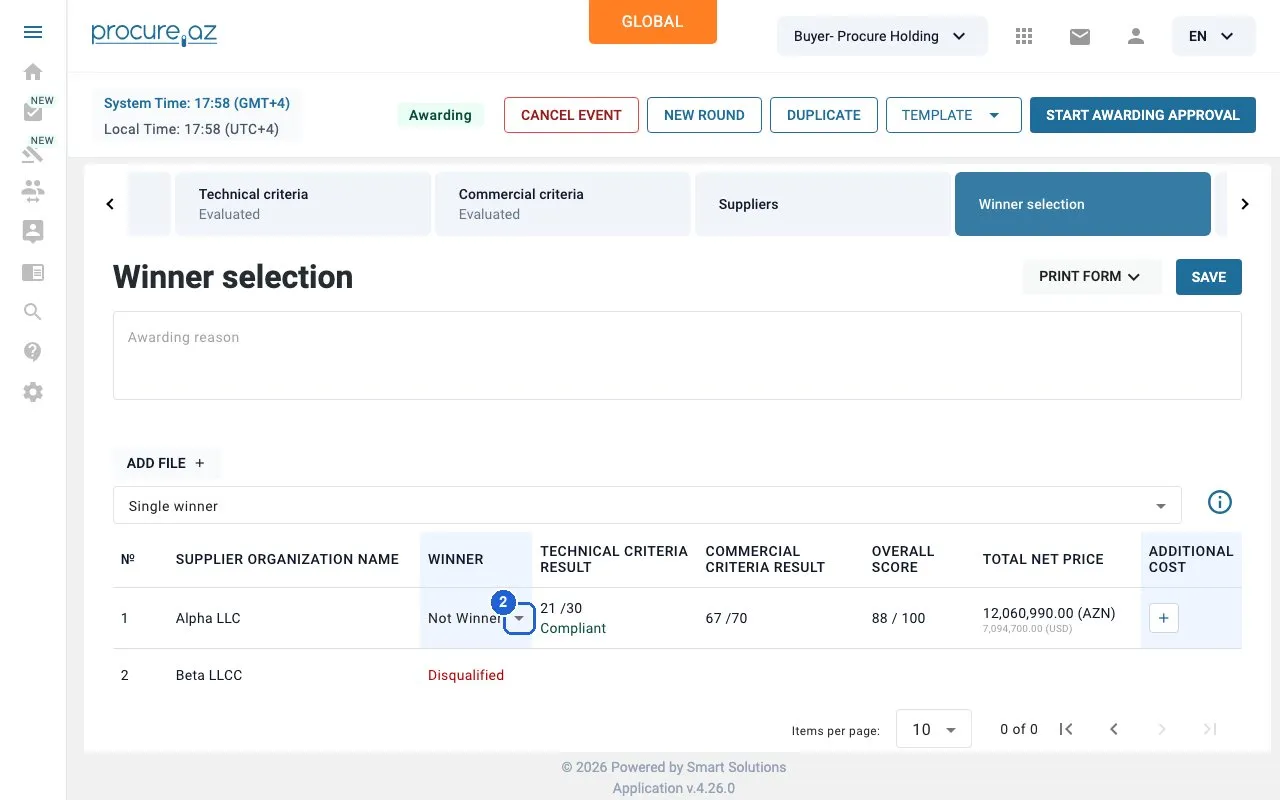
Step 2: Mark the winner — click “Not Winner”. -
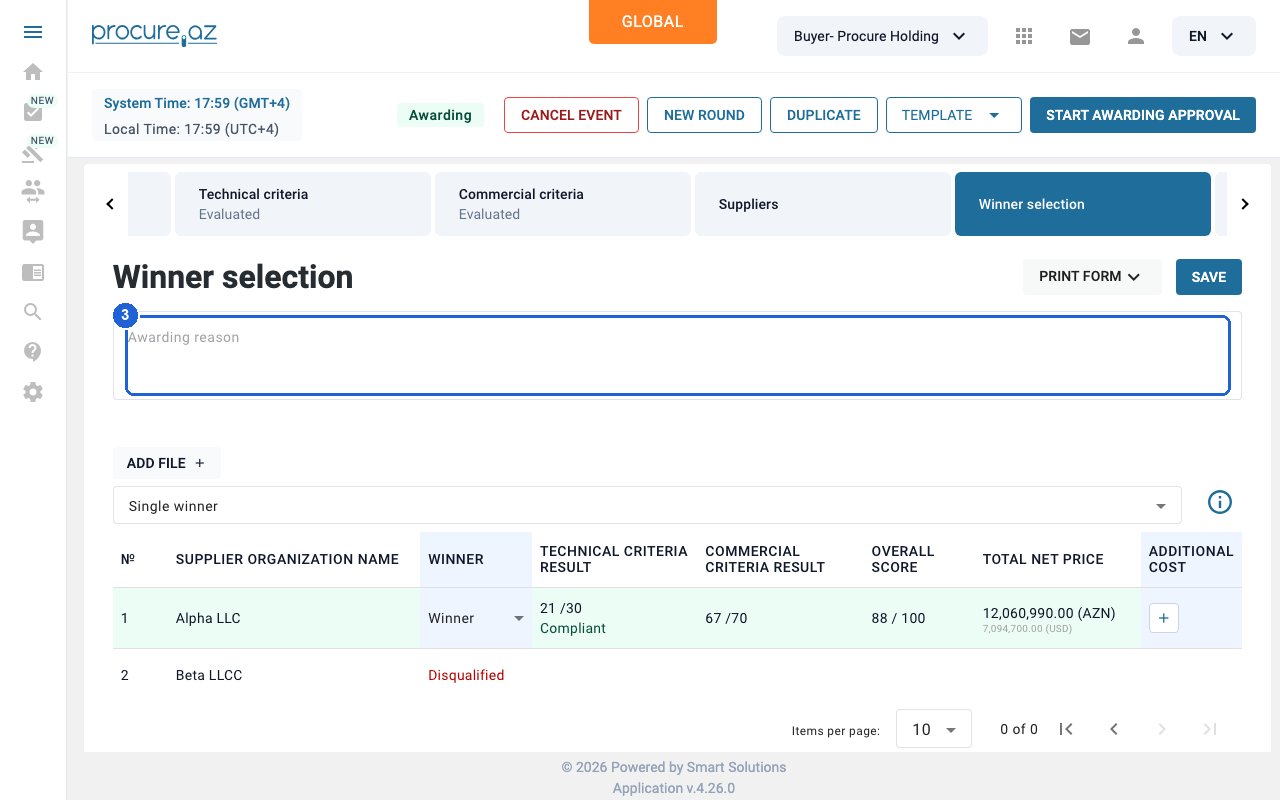
Give the awarding reason
Type why this supplier was chosen in “Awarding reason” (required). ADD FILE attaches supporting documents.
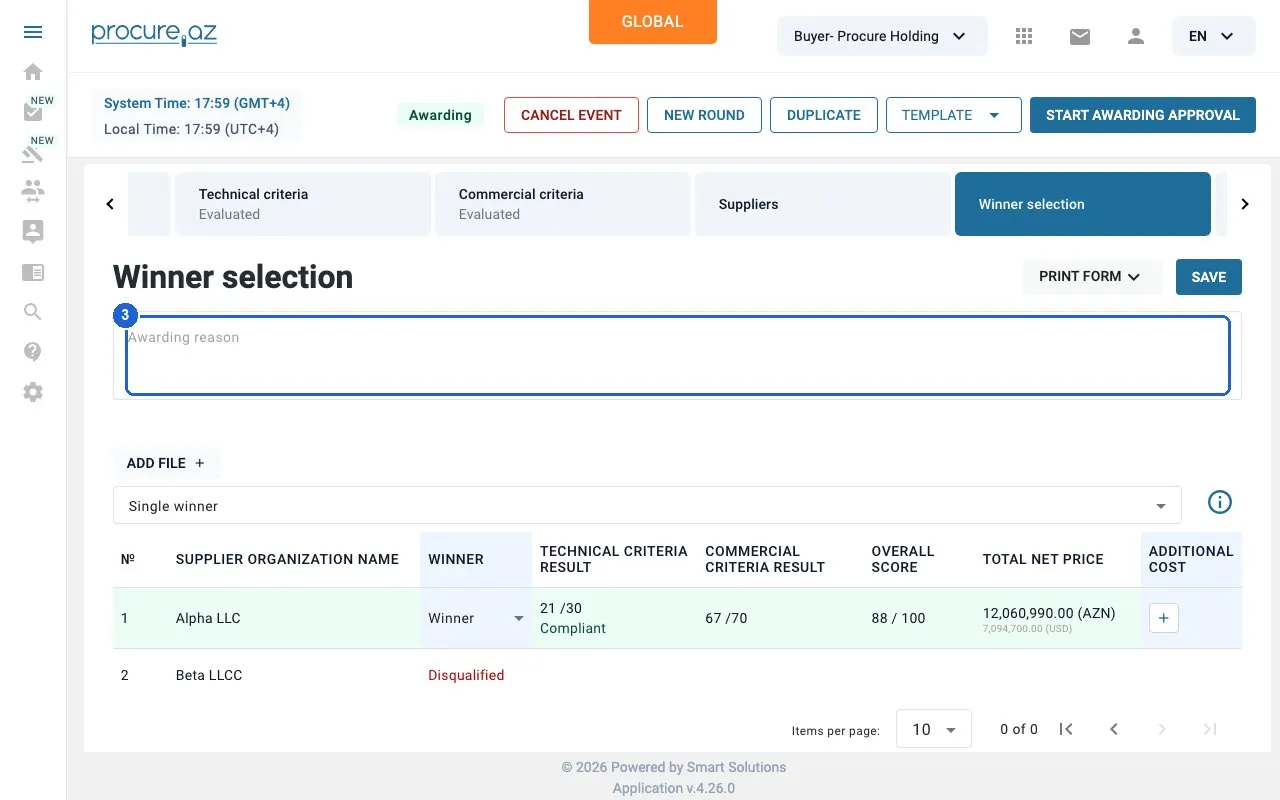
Step 3: Give the awarding reason. -
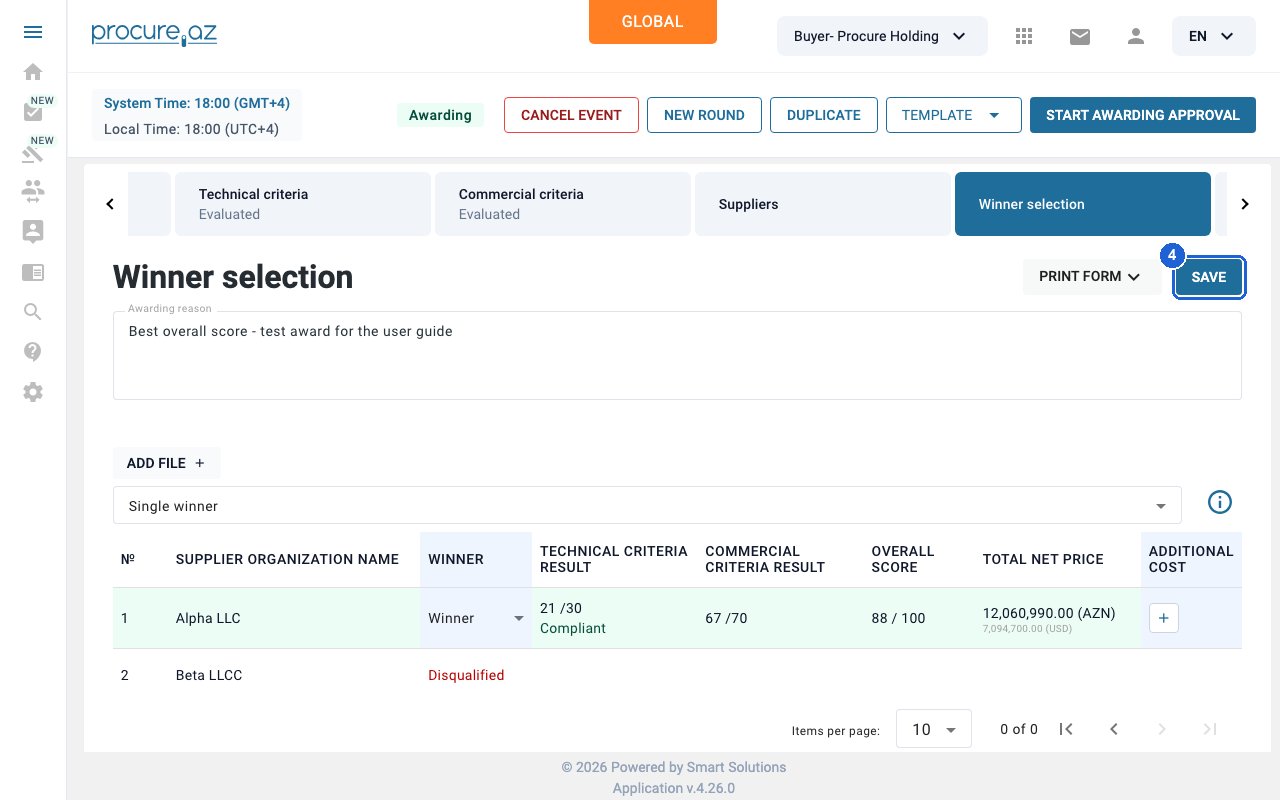
Save
Click SAVE at the top right. The choice and reason stay when you leave the tab and come back.
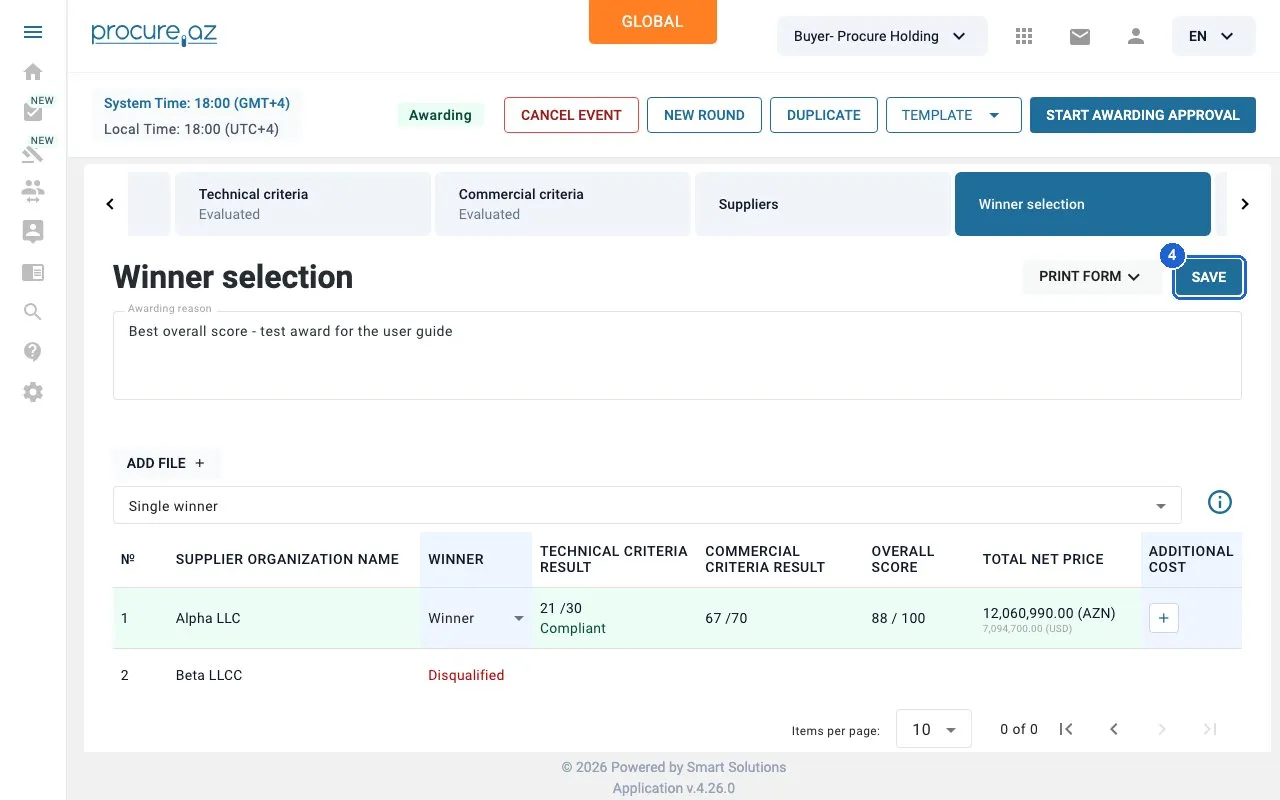
Step 4: Save — click “SAVE”.
Good to know
Section titled “Good to know”- The table shows each supplier’s technical and commercial results, overall score and total net price. Disqualified suppliers can’t be chosen.
- Saving the winner doesn’t send anything yet. START AWARDING APPROVAL in the header sends the award to the approvers.