

I need to update my email login. How can I do this?
Online version: https://help.allmaz.az/guides/sourcing/change-login-email/
The login e-mail can’t be changed in the app. Request the change by e-mail to e-tender.support@socar.az.
-
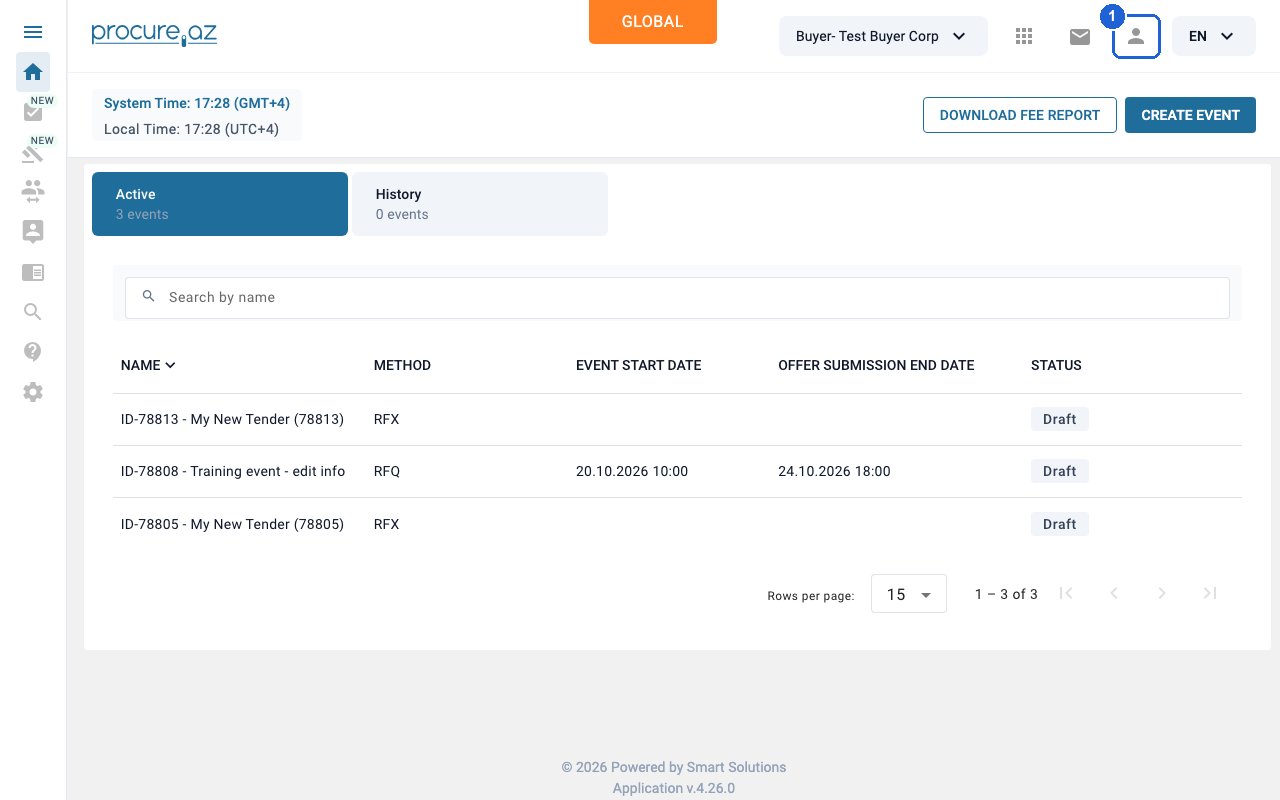
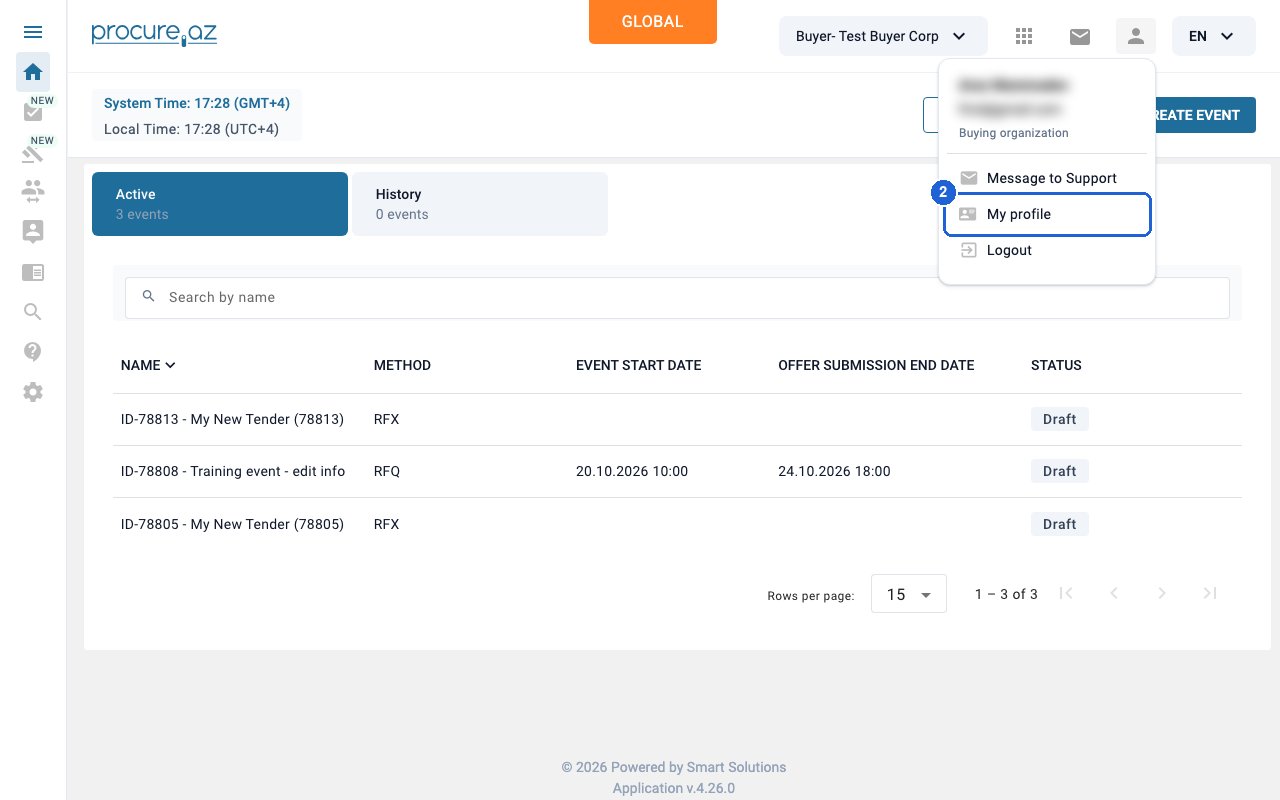
Open your profile menu
Click the person icon in the top bar, next to the language switch.
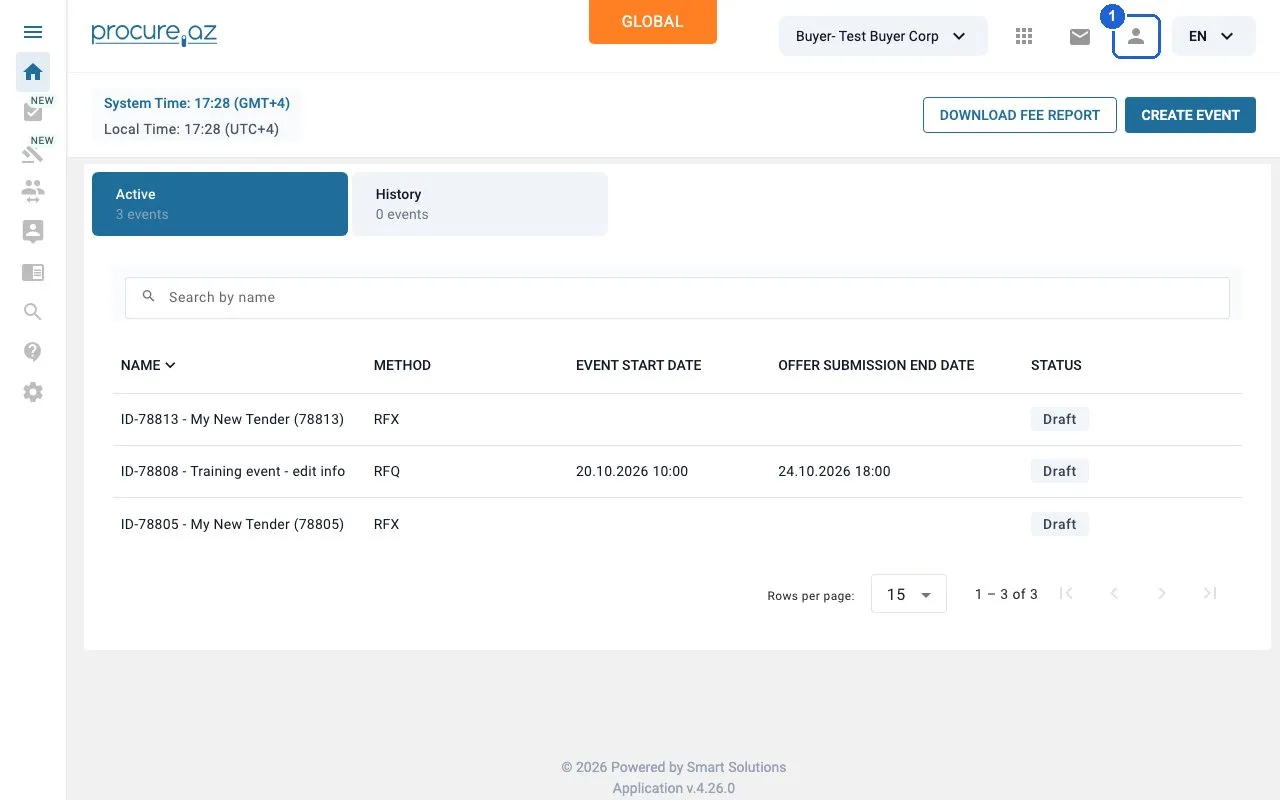
Step 1: Open your profile menu. -
Open My profile
Click My profile.
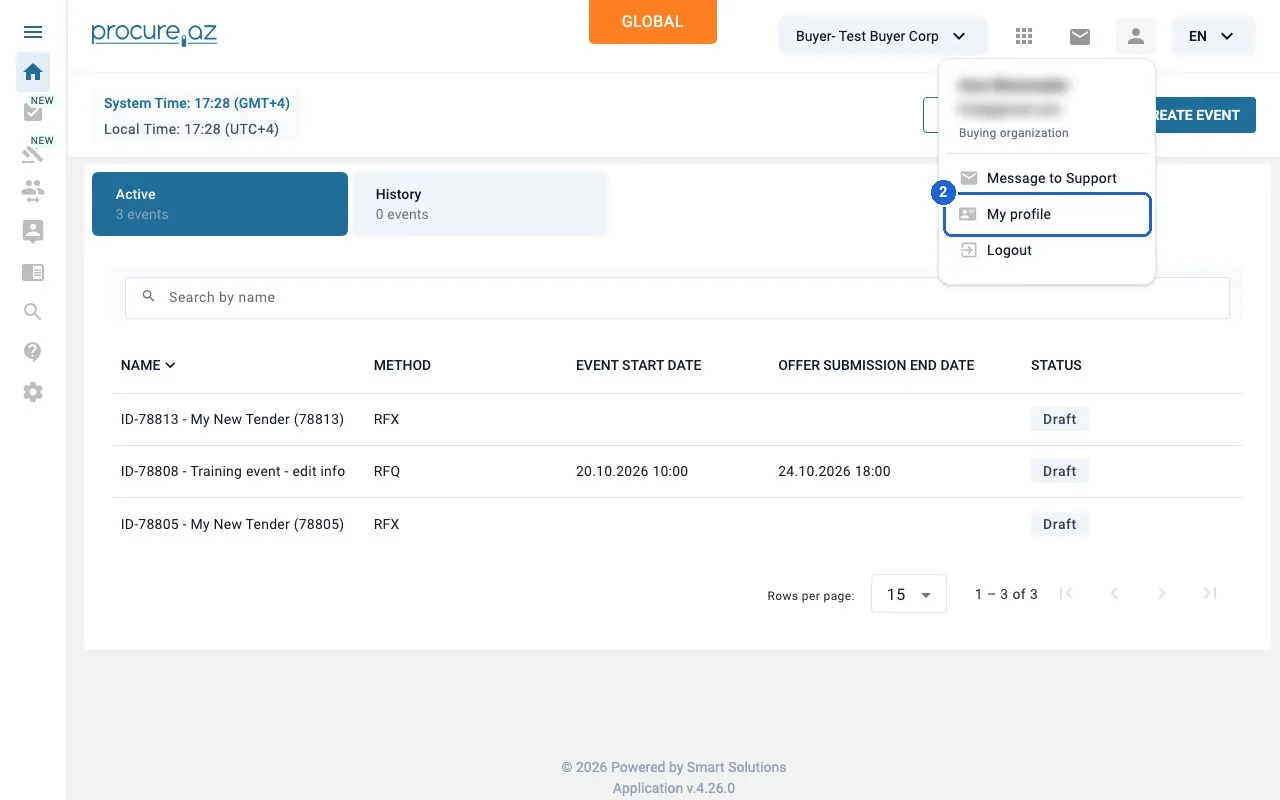
Step 2: Open My profile — click “My profile”. -
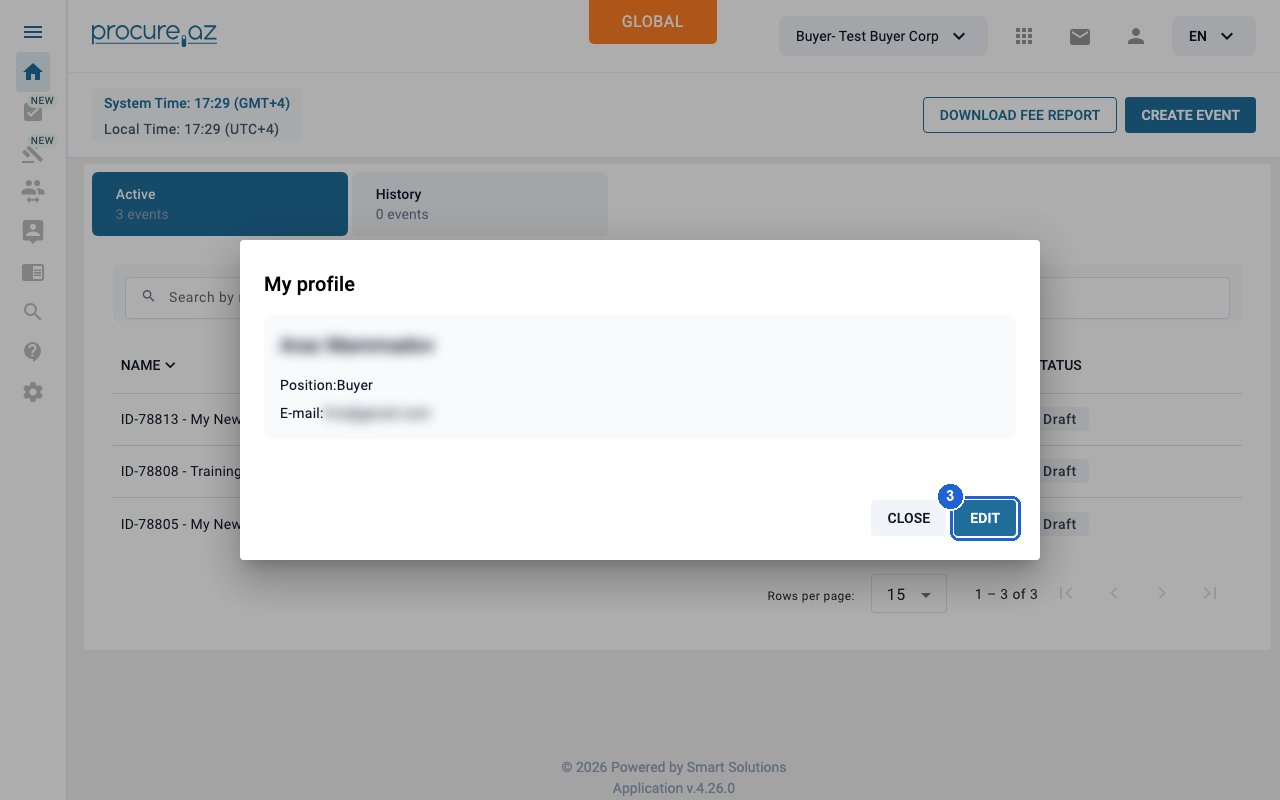
Edit your profile
Click EDIT in the My profile dialog.
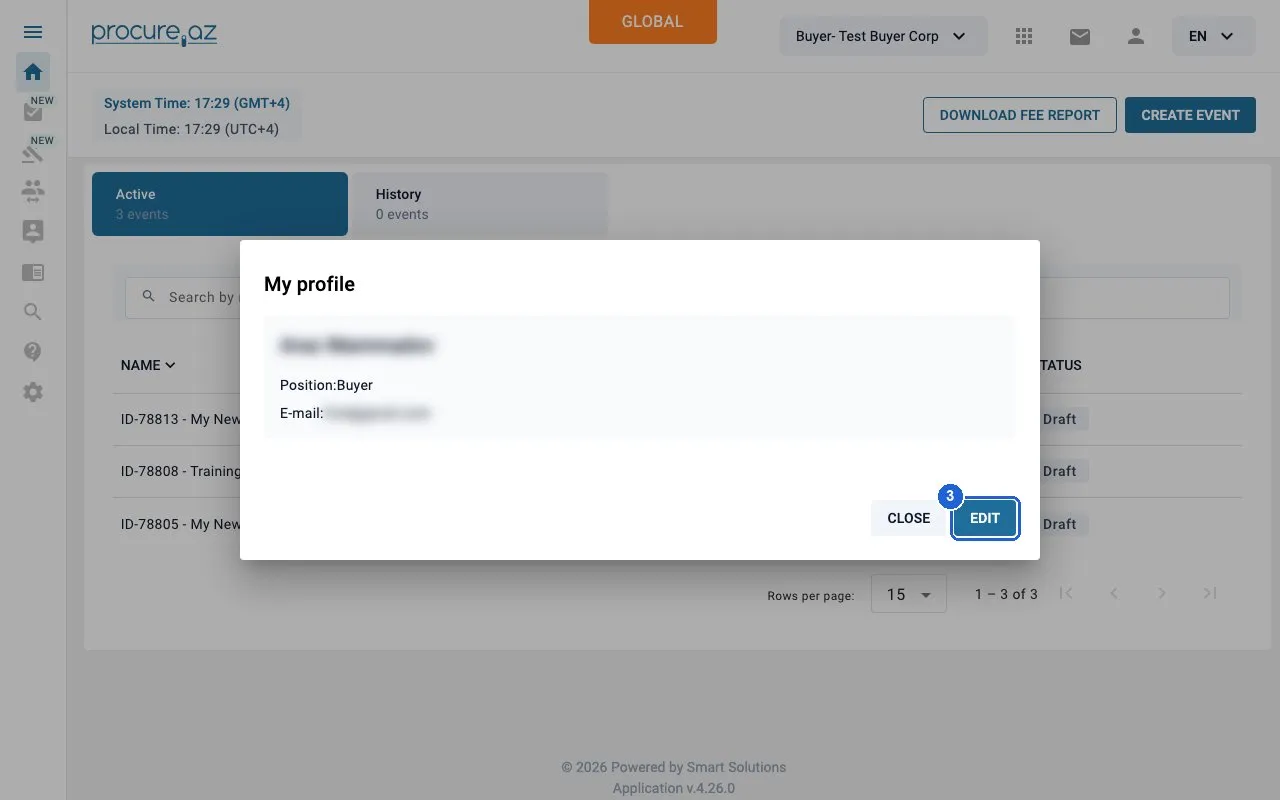
Step 3: Edit your profile — click “EDIT”. -
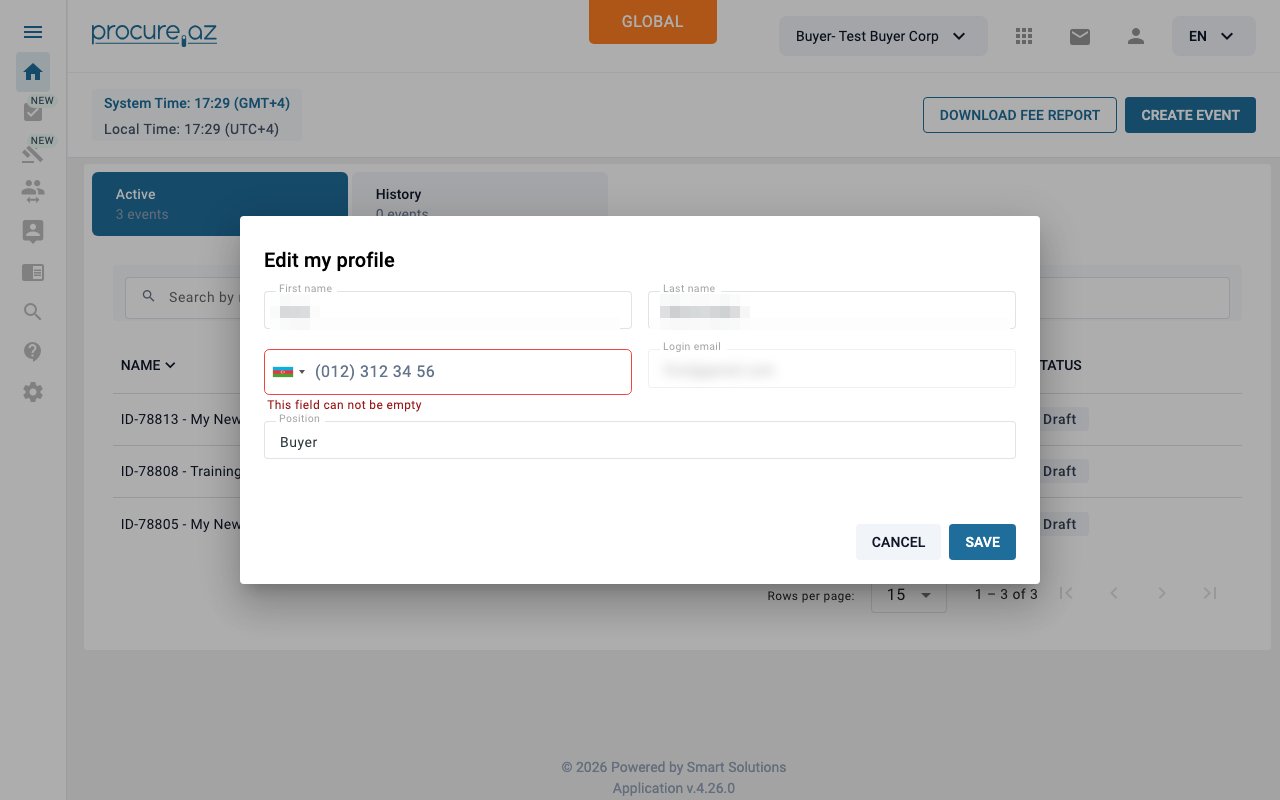
Login email can’t be changed here
In Edit my profile you can change your name, phone and position, but the Login email field is greyed out. Nobody can change it in the app - not even an administrator.
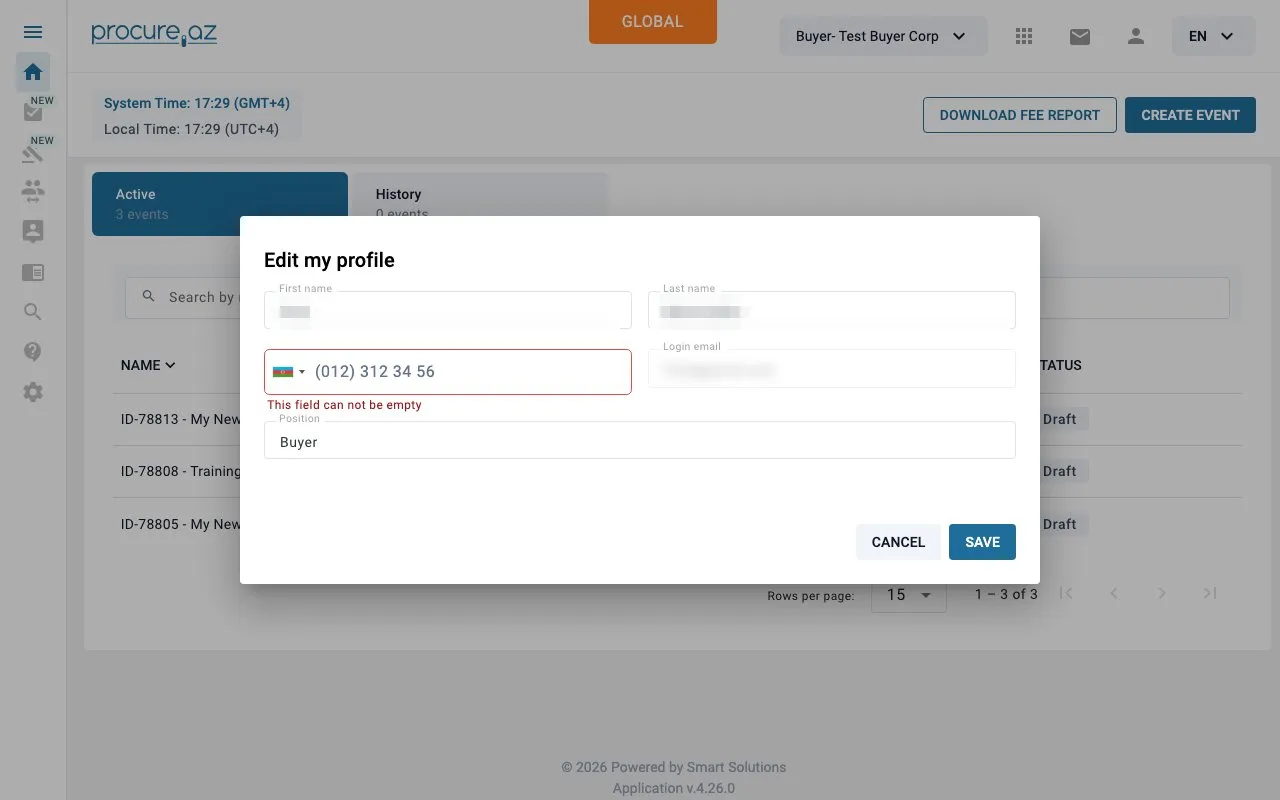
Step 4: Login email can't be changed here. -
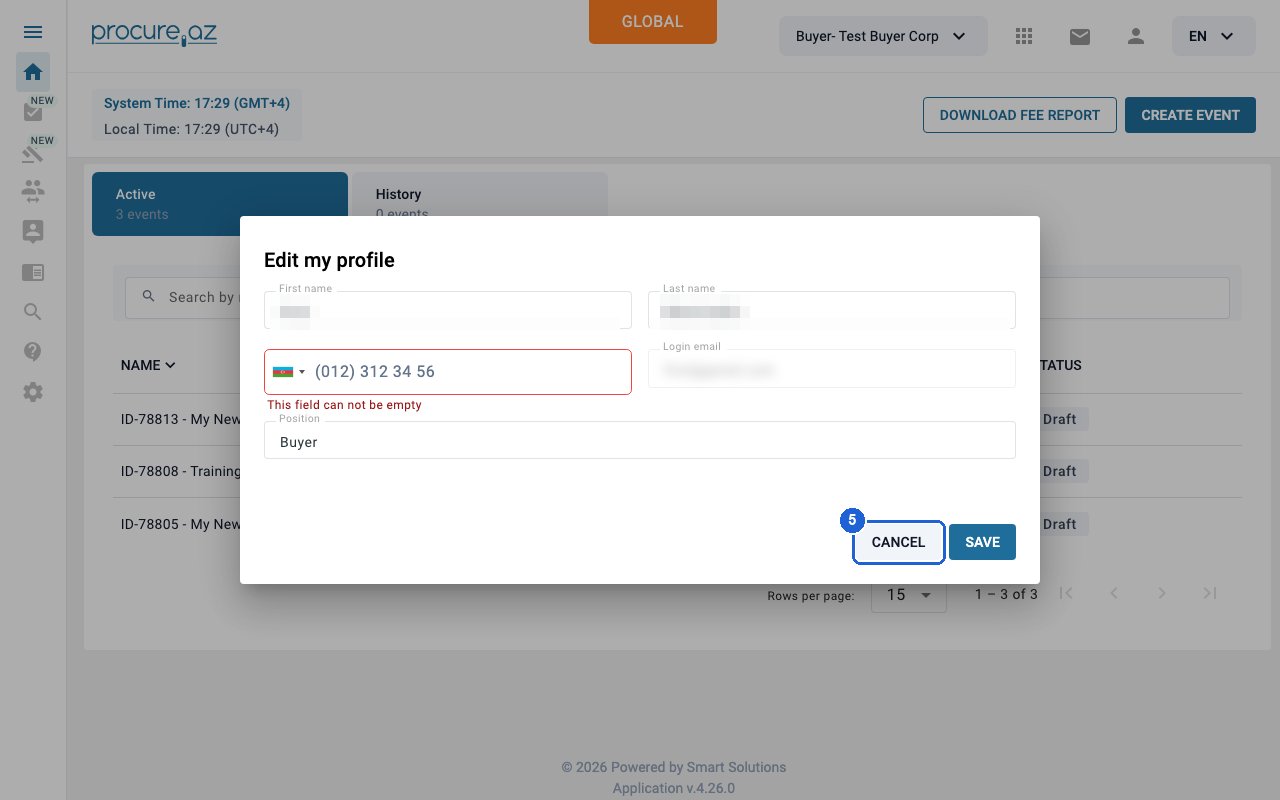
Close without saving
Click CANCEL.
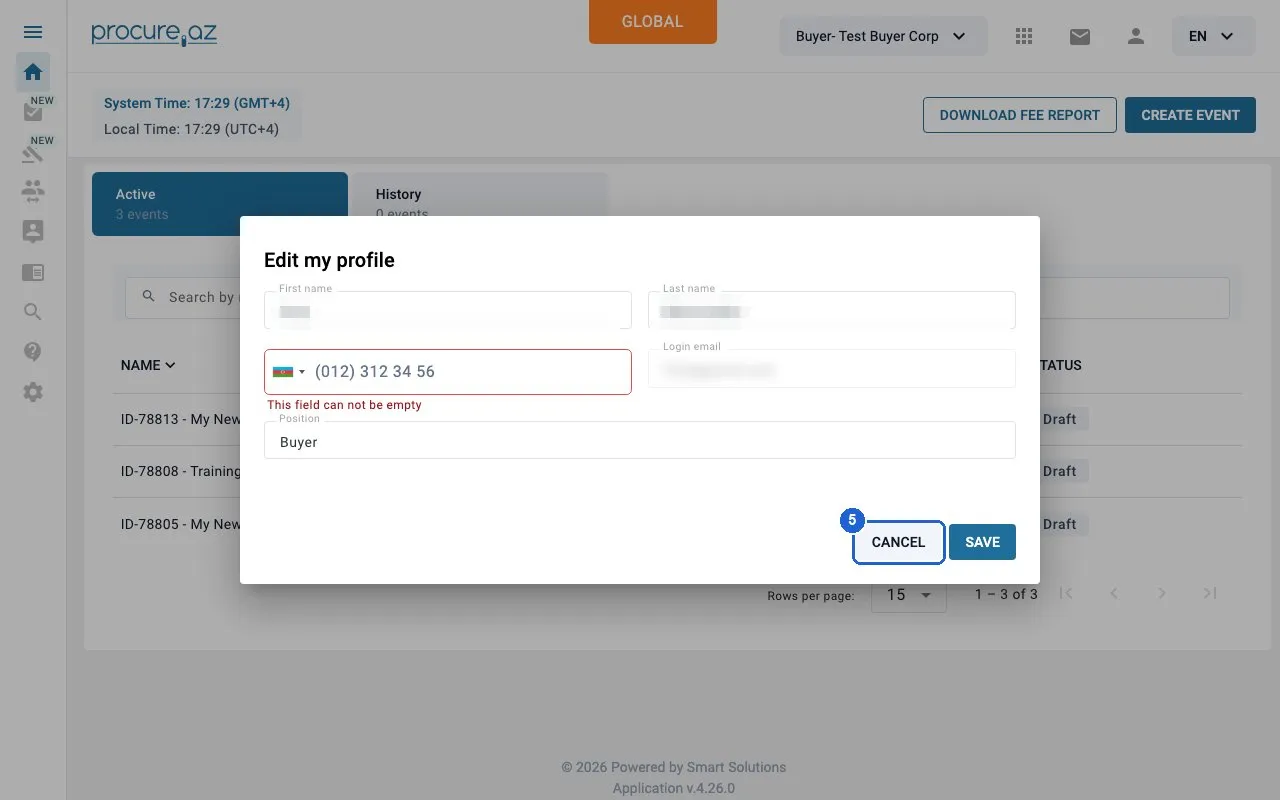
Step 5: Close without saving — click “CANCEL”. -
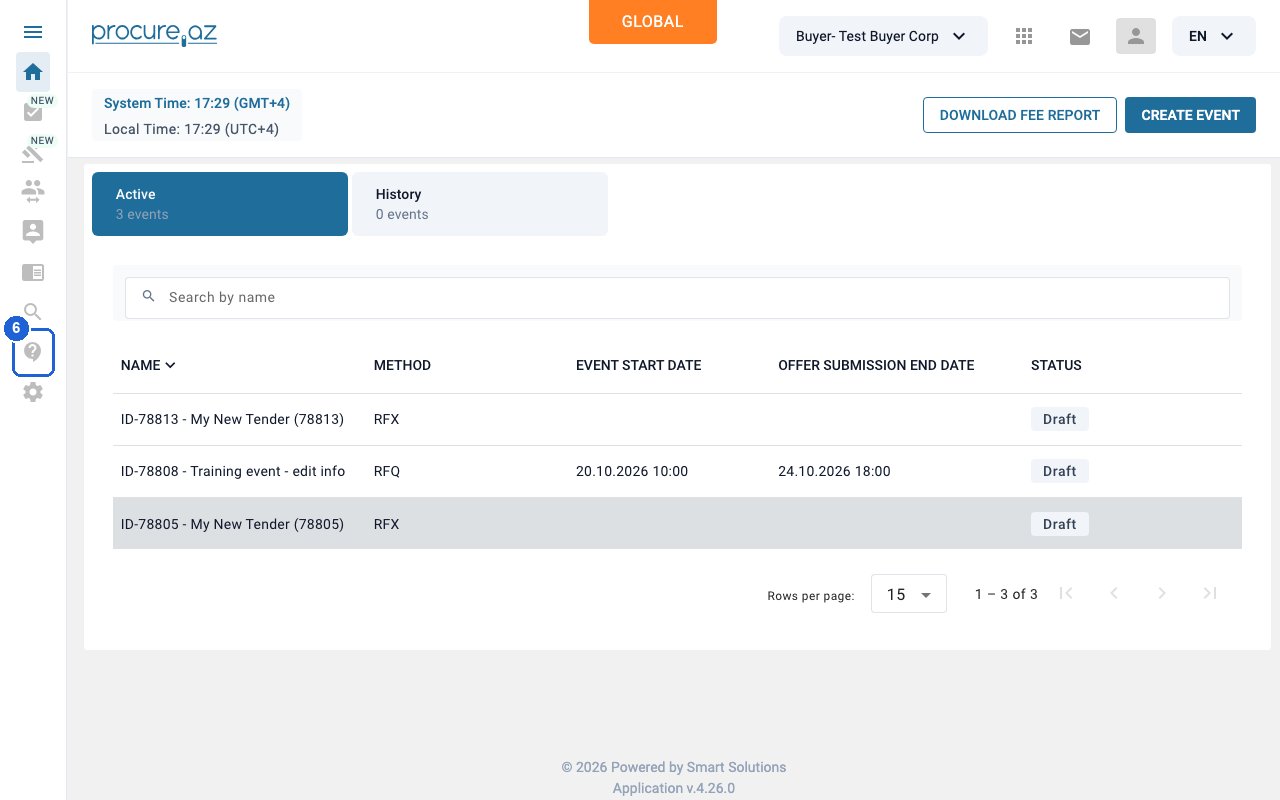
Open the FAQ
Click the question-mark icon in the left sidebar.
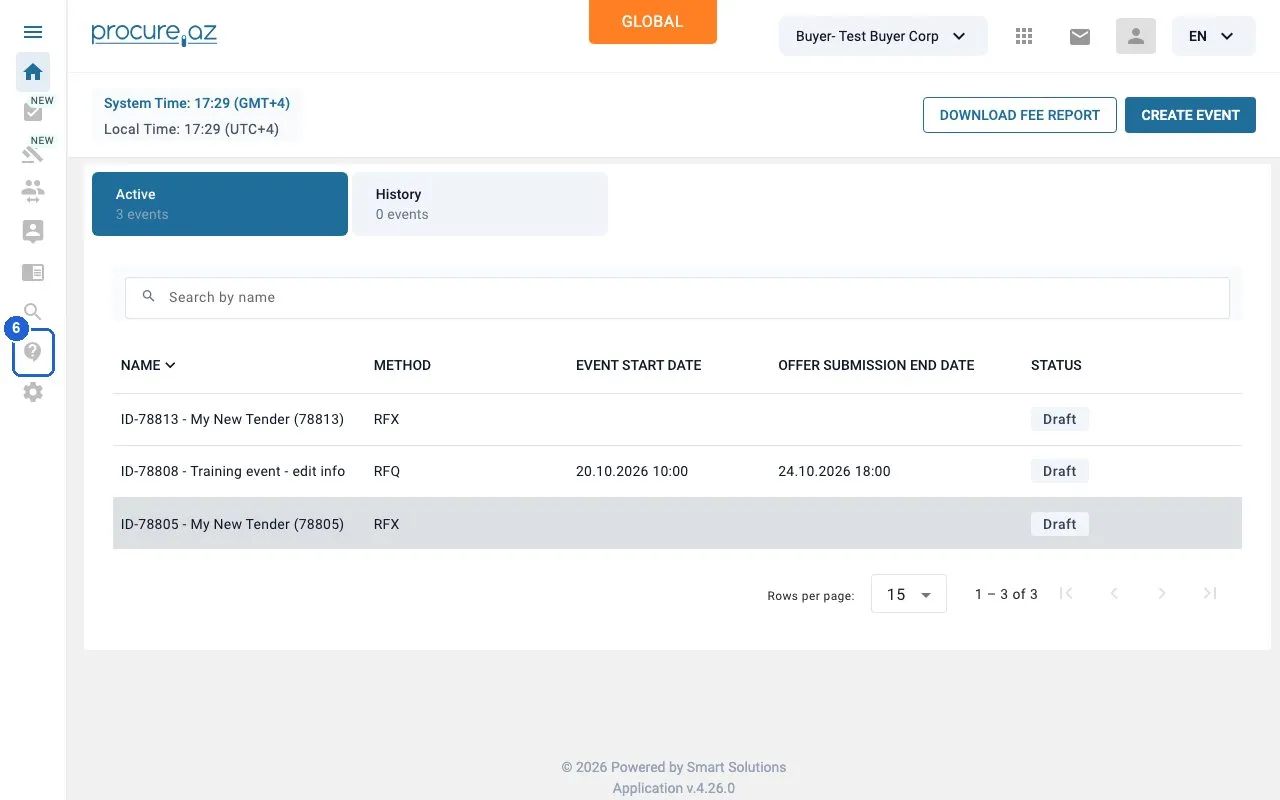
Step 6: Open the FAQ. -
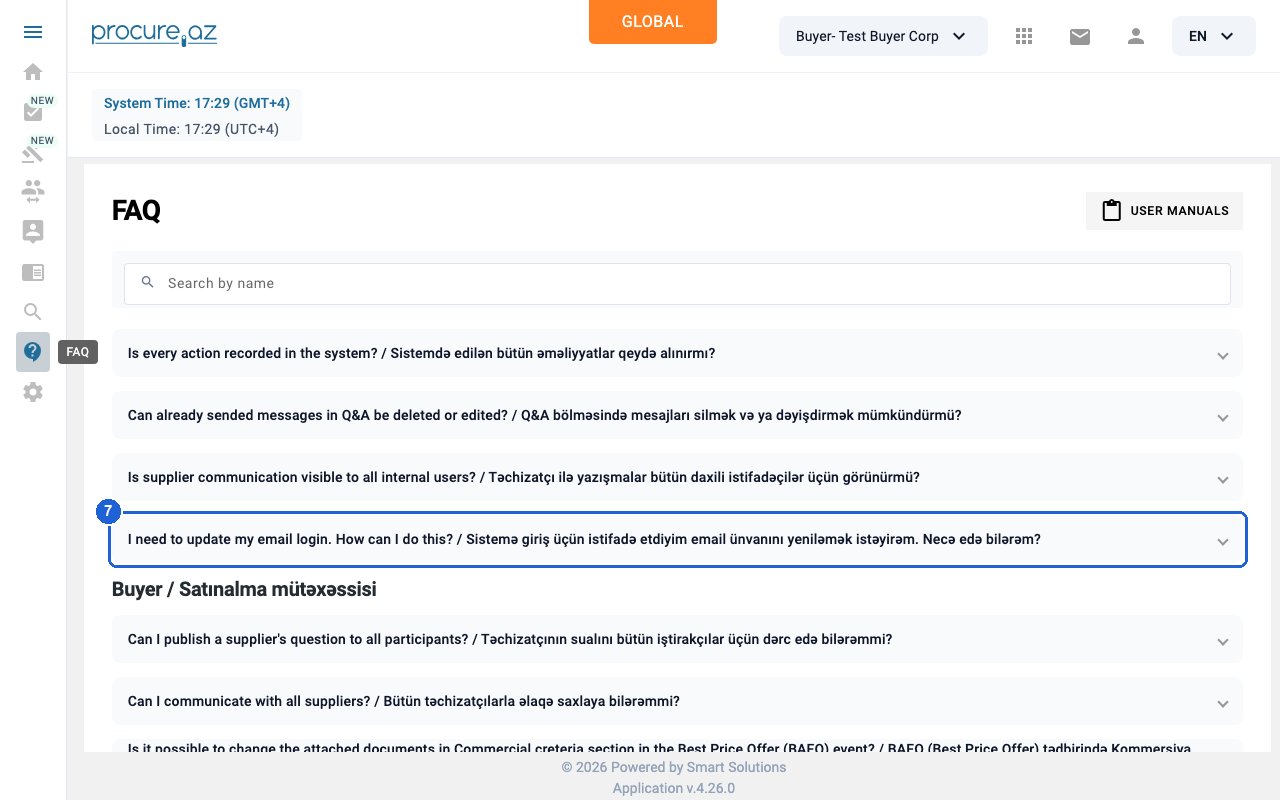
Read the procedure
Open “I need to update my email login. How can I do this?”. Send an e-mail to e-tender.support@socar.az with the e-mail address you use now, the new address for your login and the reason for the change.
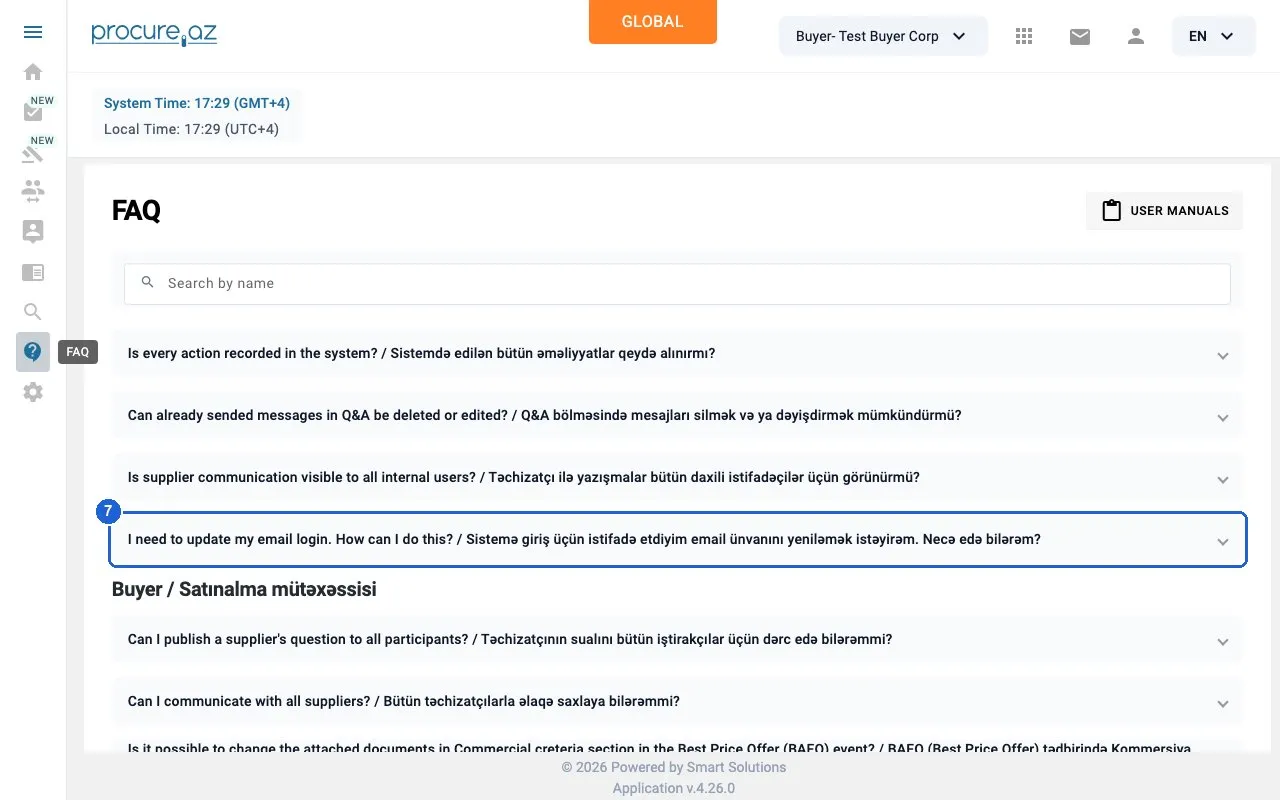
Step 7: Read the procedure — click “I need to update my email login. How can I do this?”.
Good to know
Section titled “Good to know”- Send the request to e-tender.support@socar.az and include: the e-mail address currently used in the system, the e-mail address the login should change to, and the reason for the change.
- The FAQ says the request is accepted only by e-mail, so “Message to Support” in the profile menu is not the right channel for it.
- Your name, phone and position can be changed in My profile → EDIT → SAVE.