

As an evaluator, how can I evaluate technical criteria?
Online version: https://help.allmaz.az/guides/sourcing/evaluate-technical-criteria/
Evaluators score the technical criteria on the event’s Technical criteria tab: open each supplier, comment, mark Compliant or Not compliant, save, then submit the work unit.
-
Open the event
On the Evaluator dashboard, click the event (here “108578 - Kompüter Avadanlıqların Alınması - Demo 04.08.2026”). The EVALUATION STATUS column shows what is waiting for you.
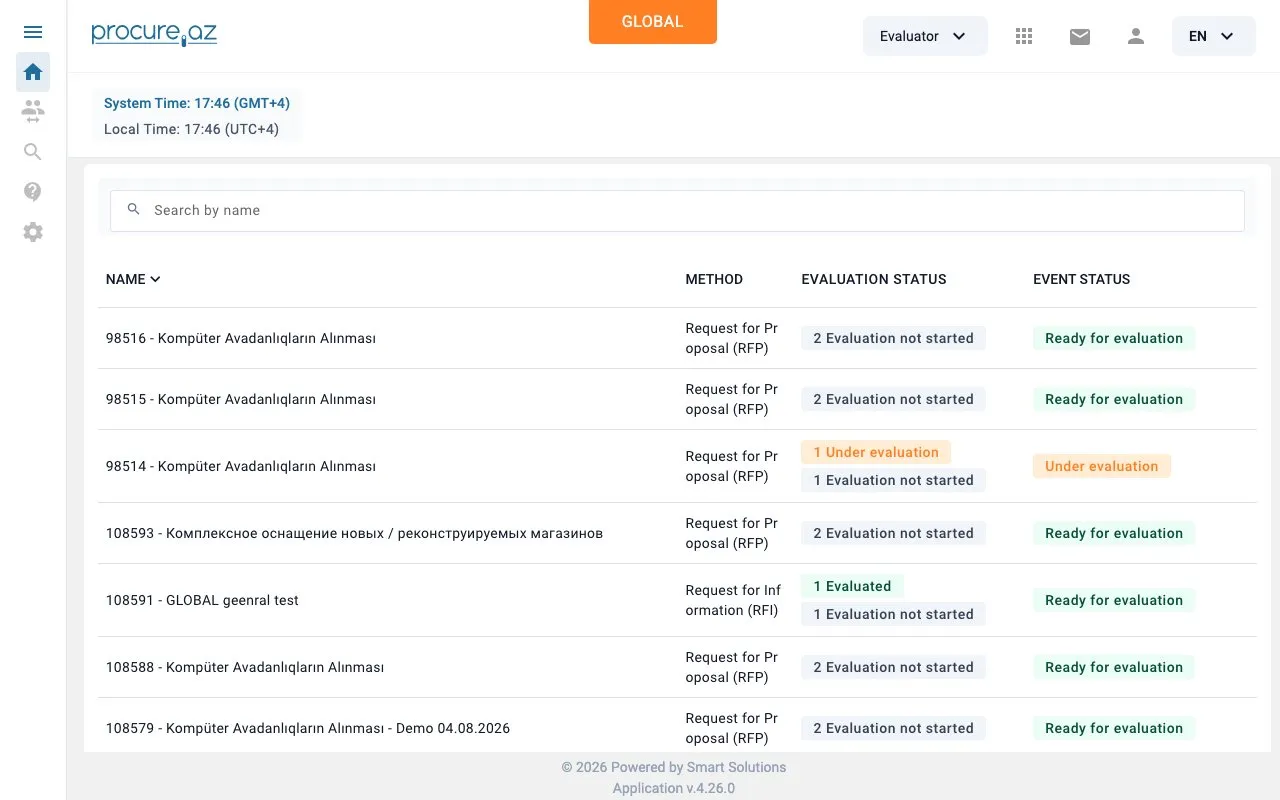
Step 1: Open the event. -
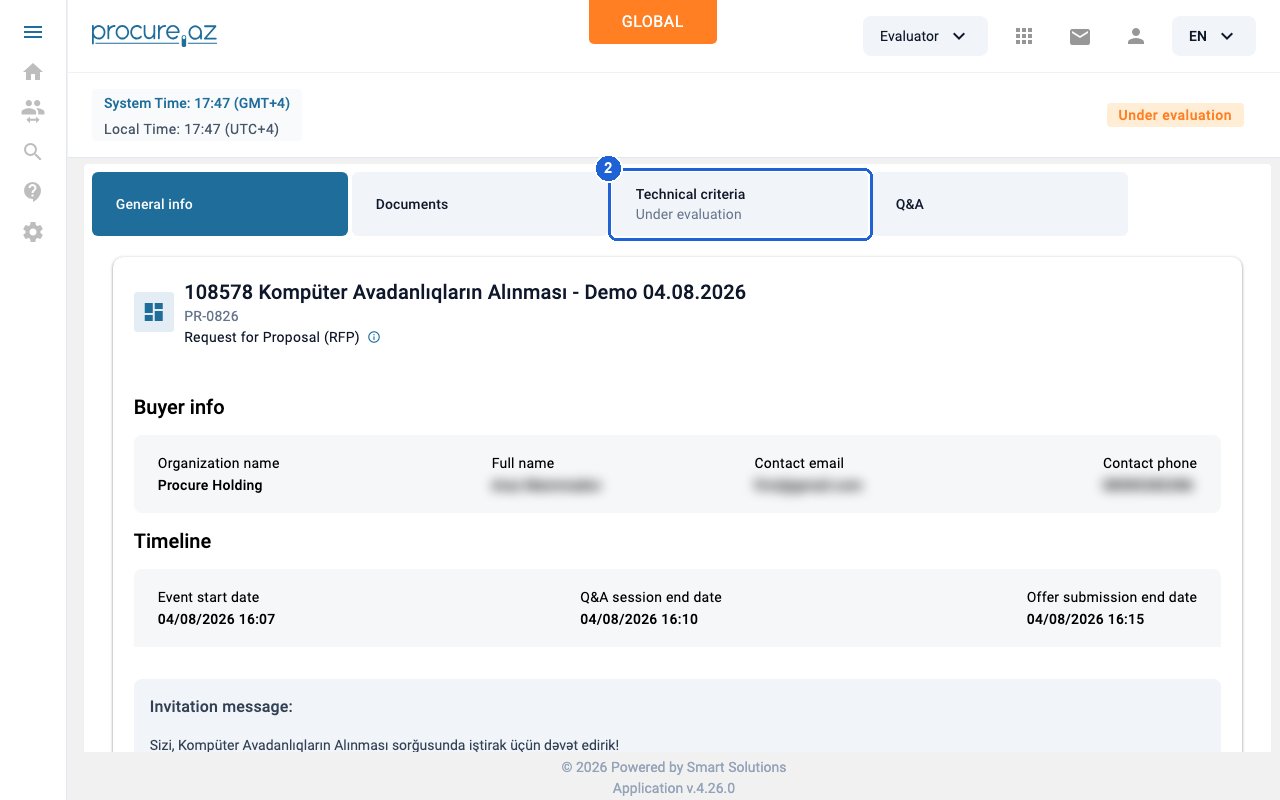
Open Technical criteria
Click the Technical criteria tab (“Under evaluation”). Each work unit assigned to you is a card with the suppliers’ rows.
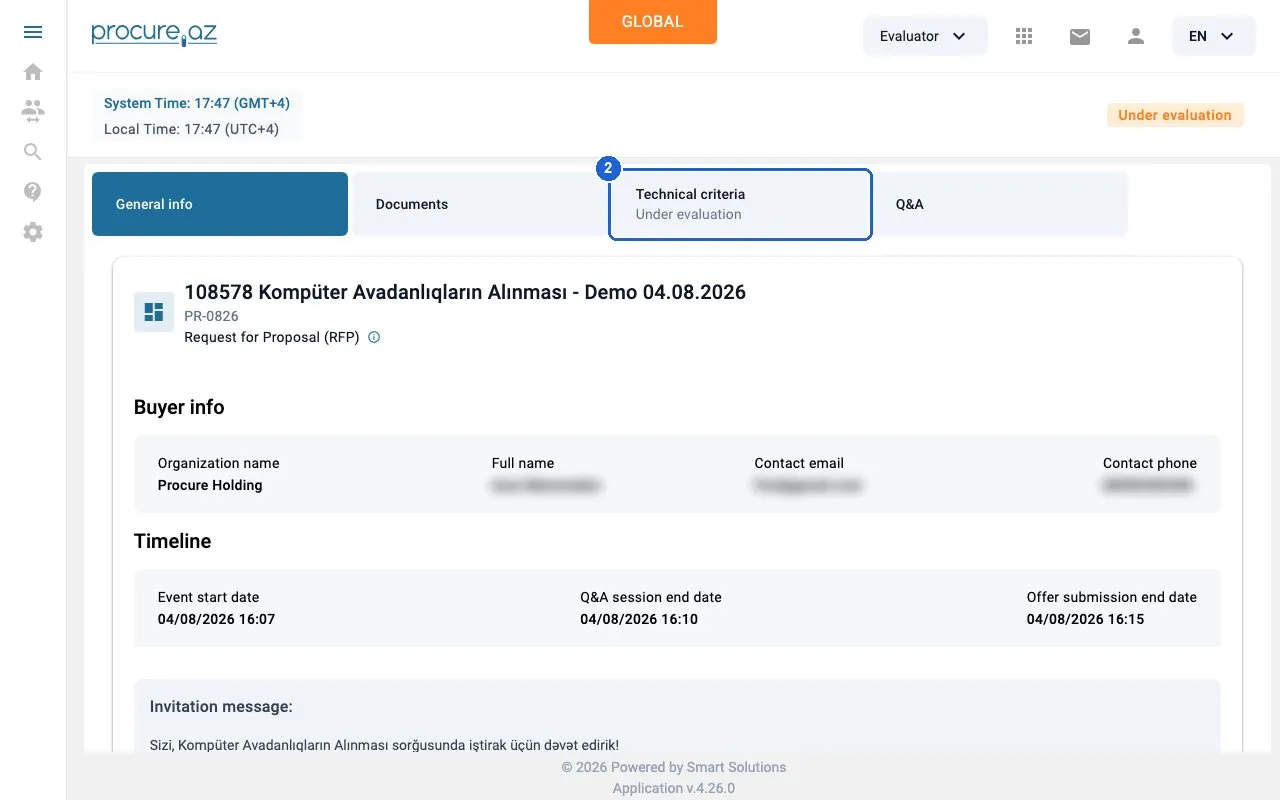
Step 2: Open Technical criteria — click “Technical criteria Under evaluation”. -
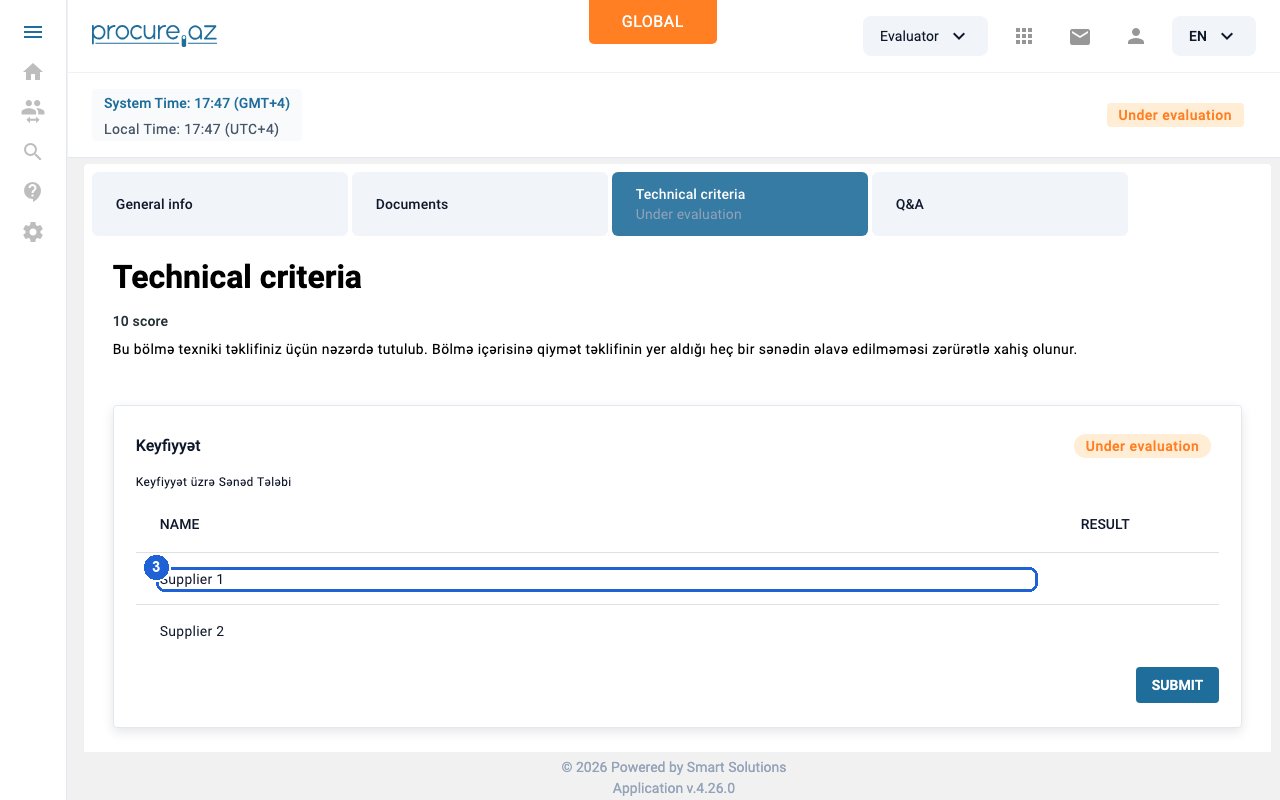
Open a supplier
Click a supplier’s row (here “Supplier 1”; names are hidden when the buyer turned on Hide supplier name). The evaluation panel takes a few seconds to open.
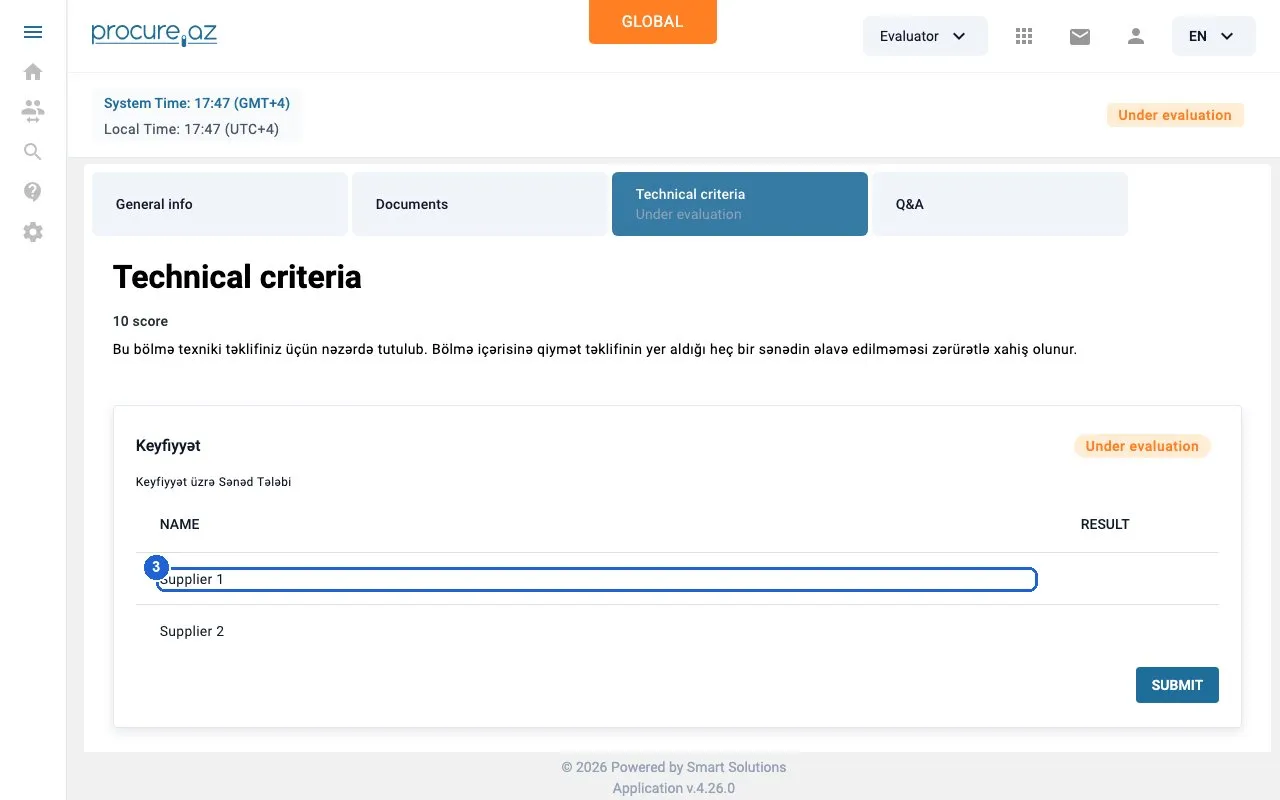
Step 3: Open a supplier — click “Supplier 1”. -
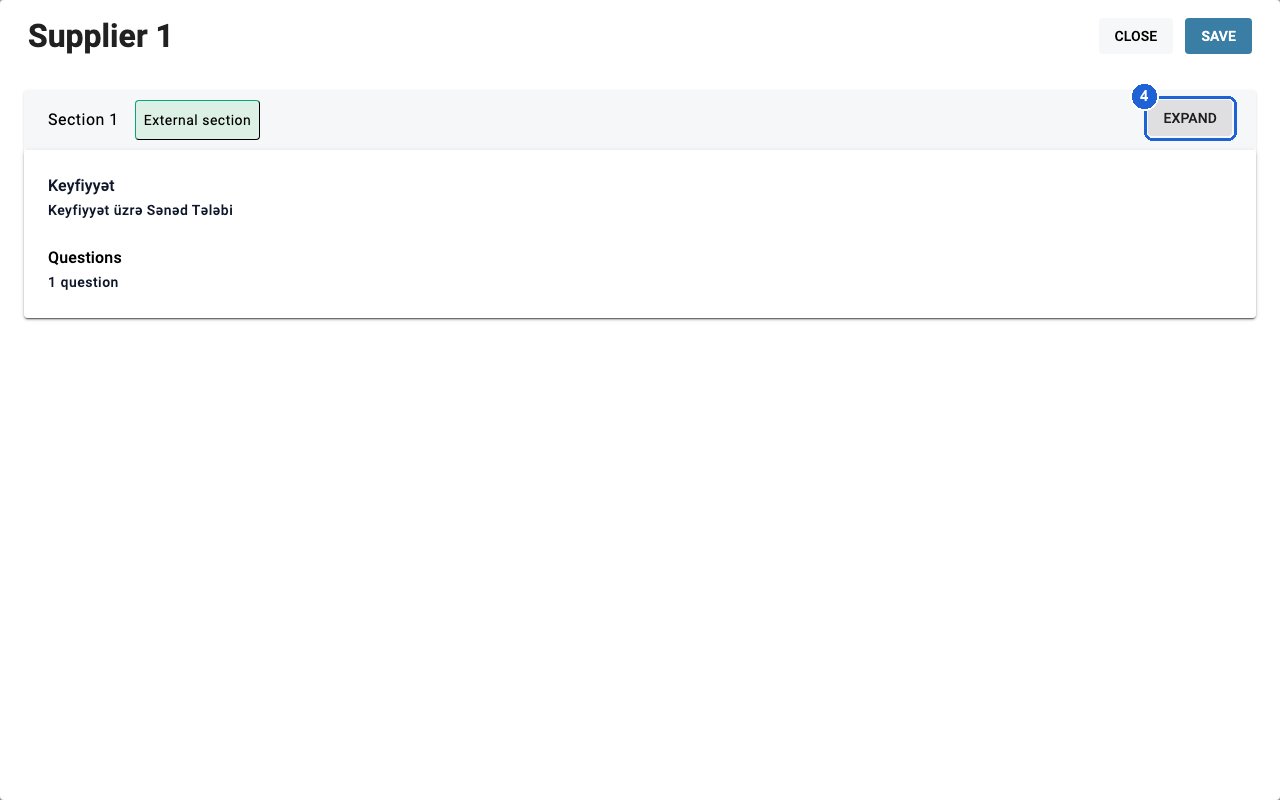
Expand the section
Click EXPAND to show the questions and the supplier’s answers and files.
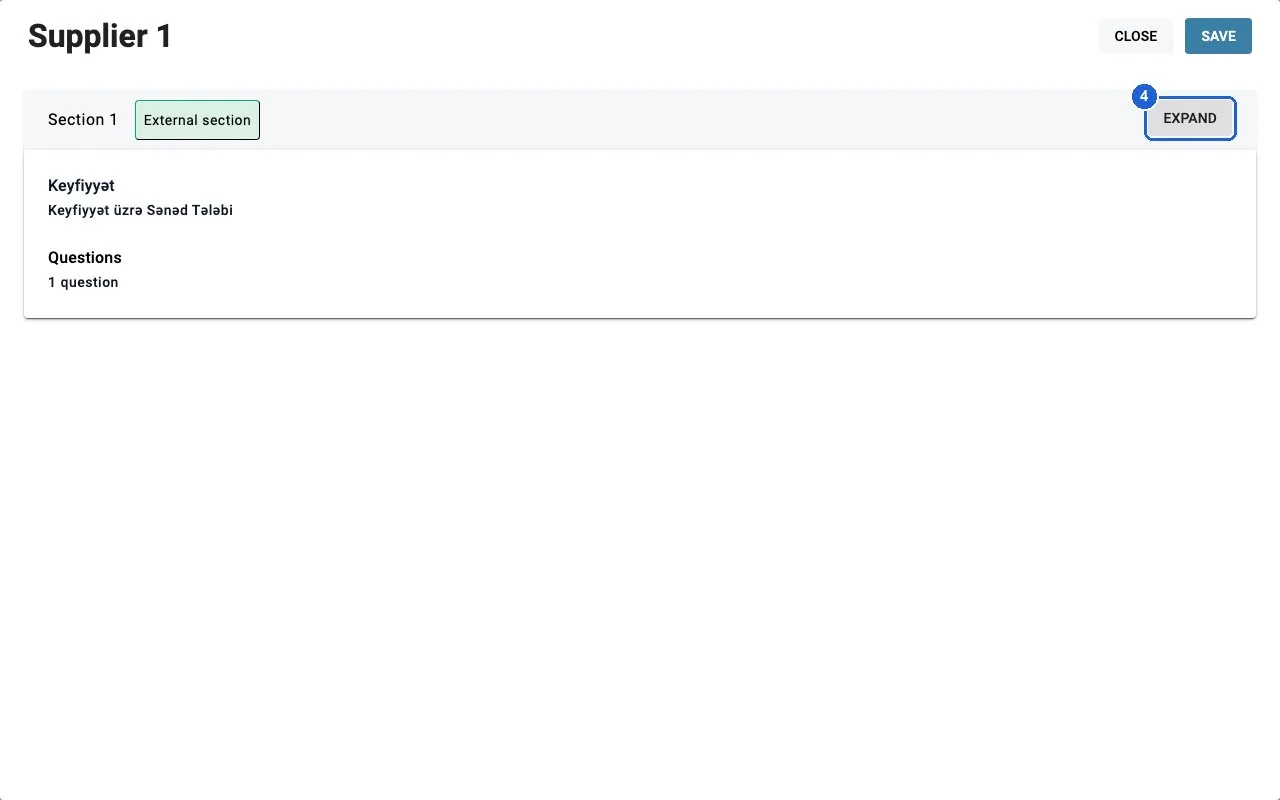
Step 4: Expand the section — click “EXPAND”. -
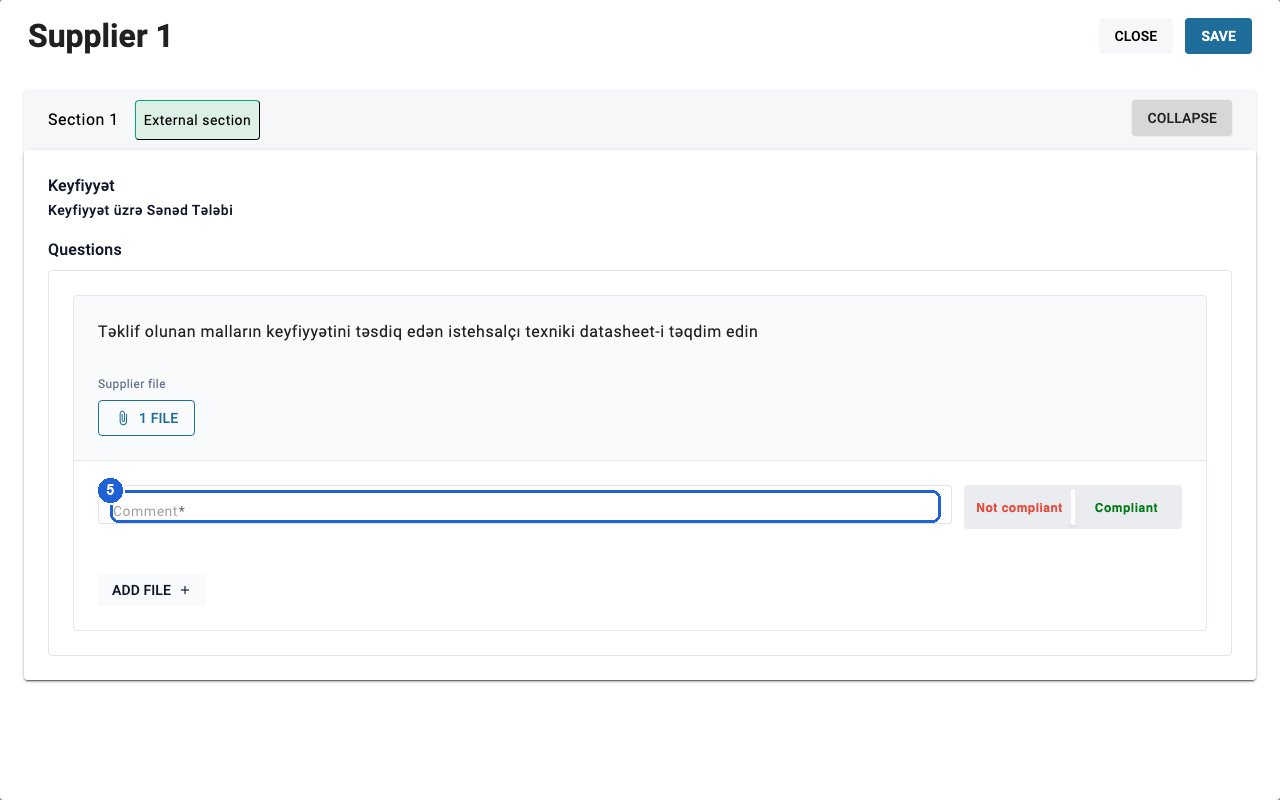
Evaluate the answer
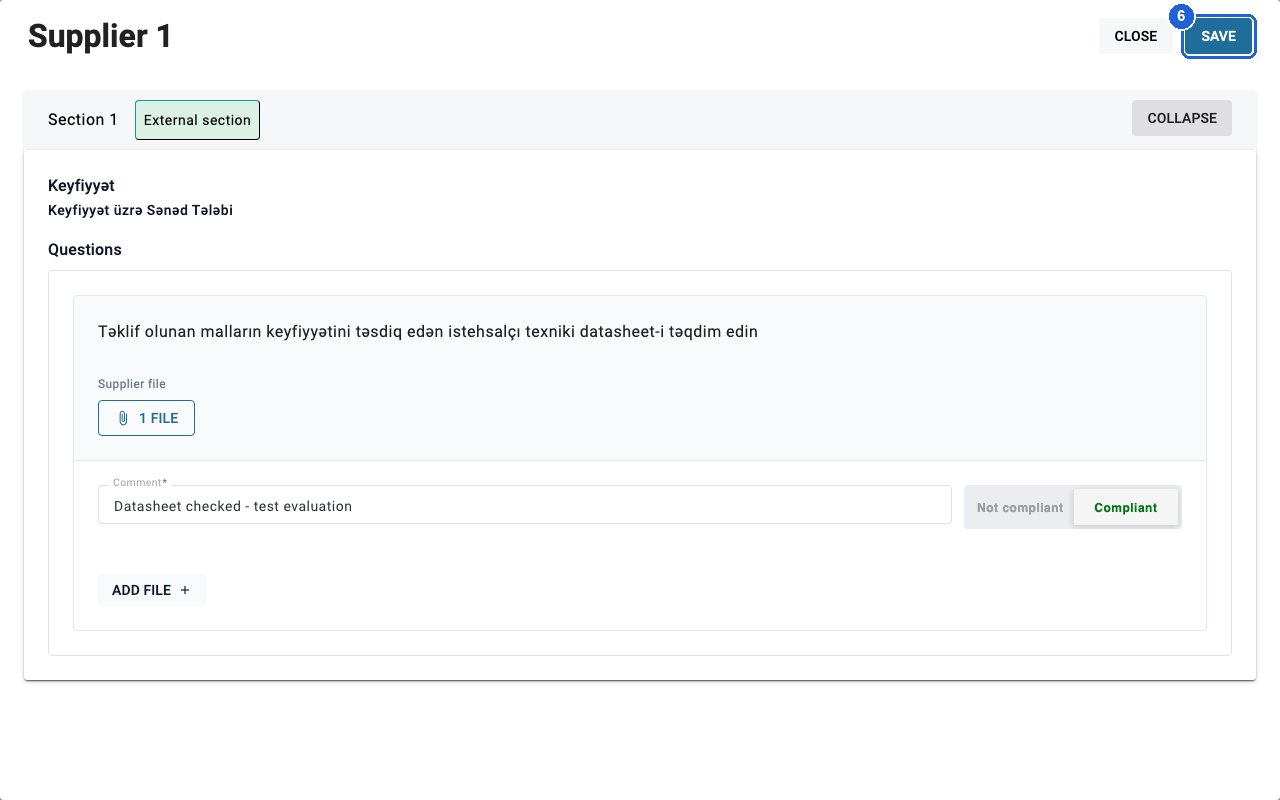
Read the answer (open the supplier’s file if there is one), type your Comment* (required) and choose Compliant or Not compliant.
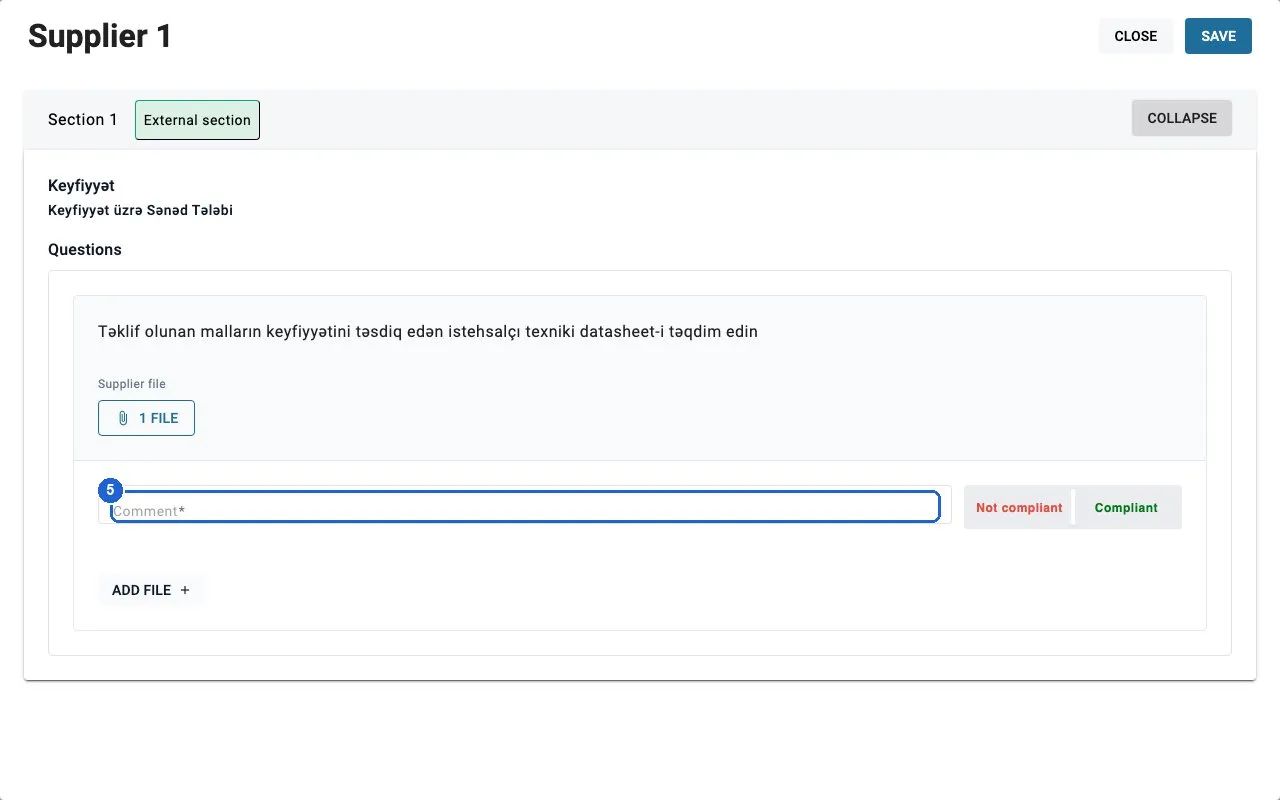
Step 5: Evaluate the answer. -
Save
Click SAVE at the top right of the panel. Repeat steps 3-6 for every supplier in the card.
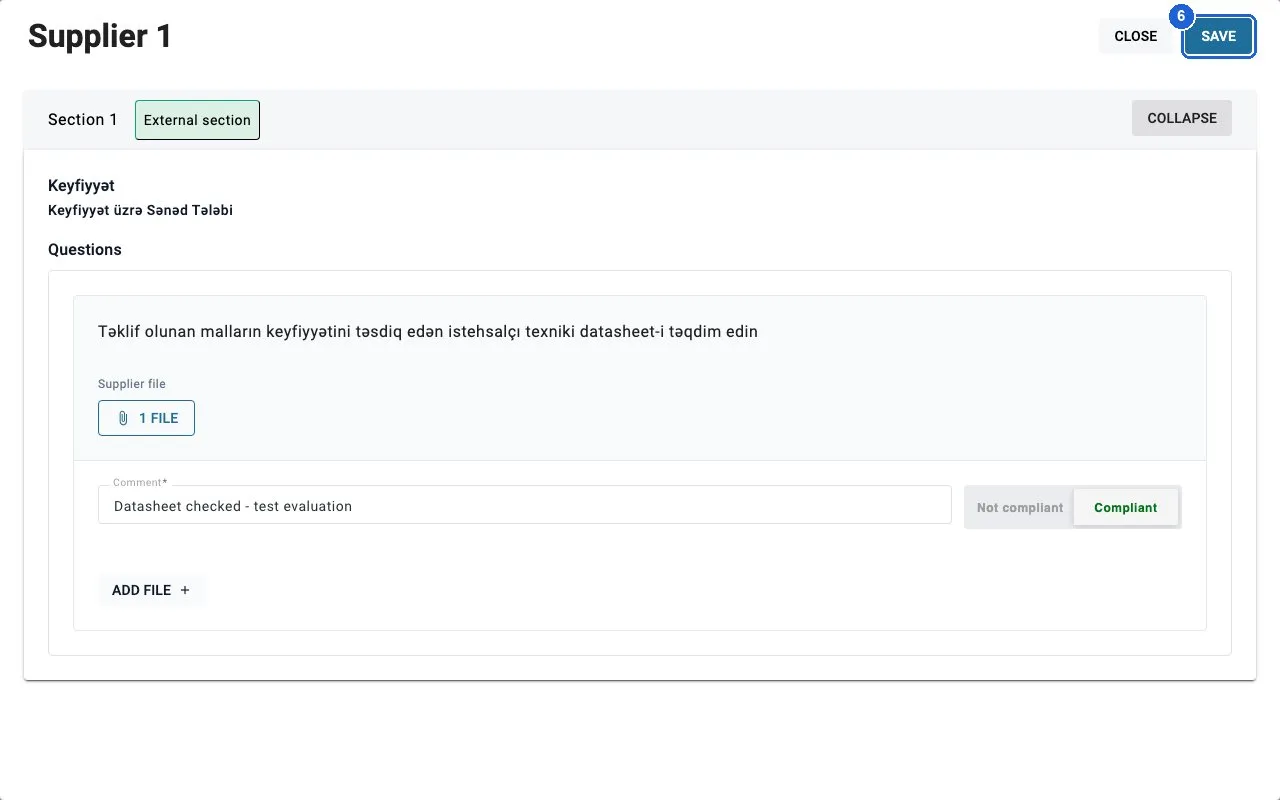
Step 6: Save — click “SAVE”. -
Submit the work unit
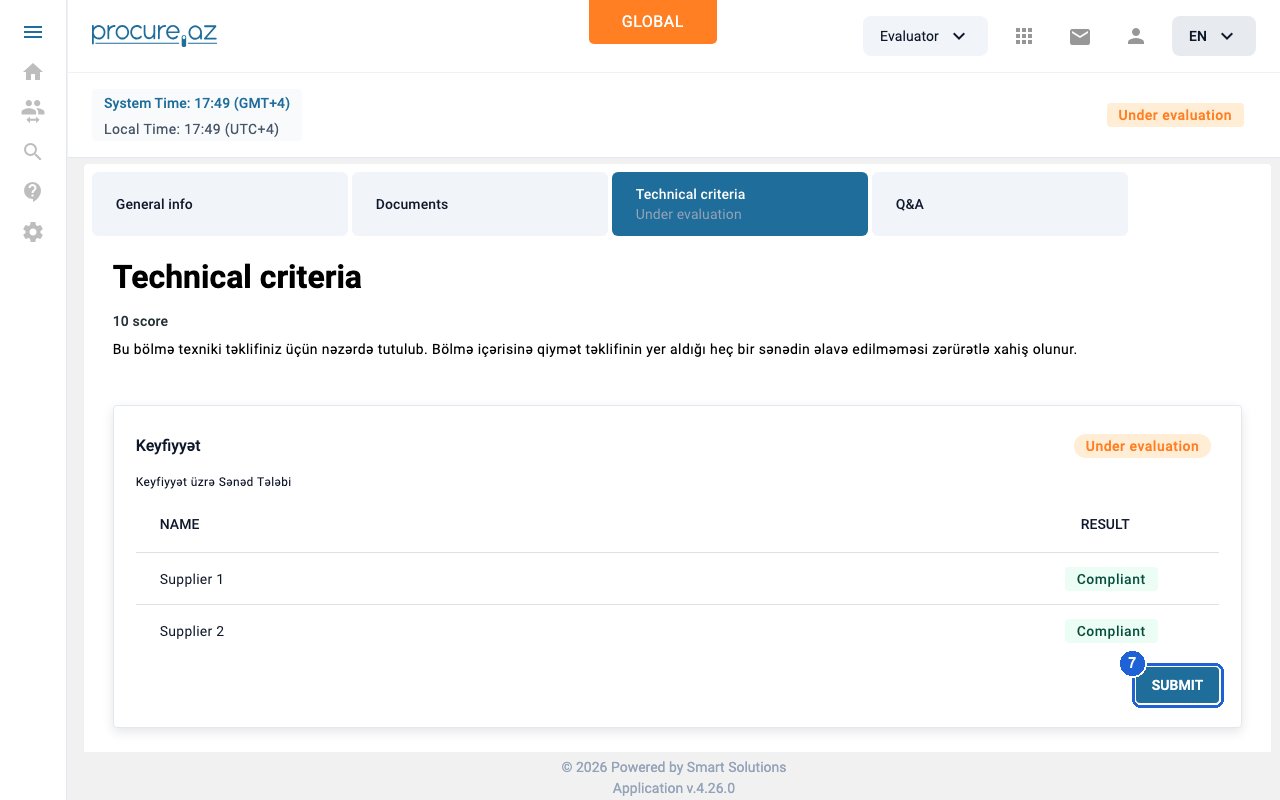
When every supplier is evaluated, click SUBMIT under the card. The card then shows “Evaluated”.
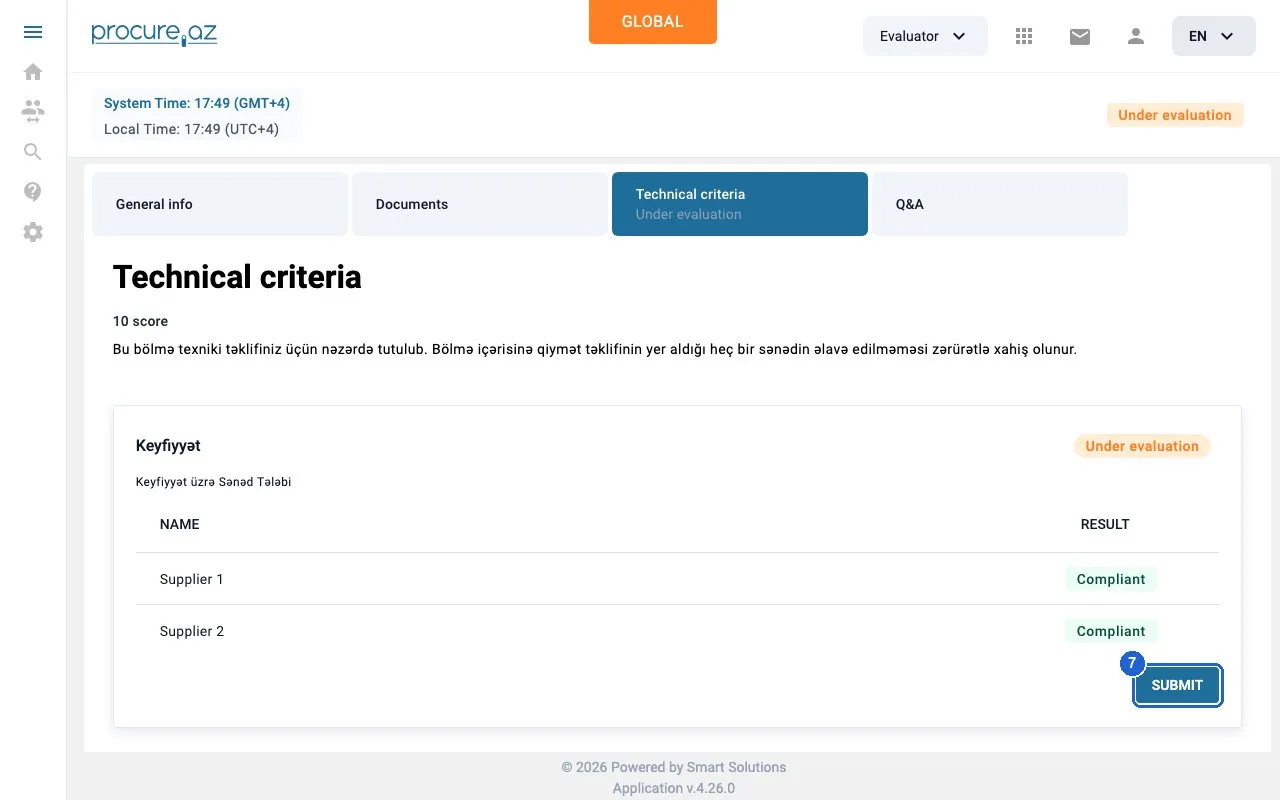
Step 7: Submit the work unit — click “SUBMIT”.
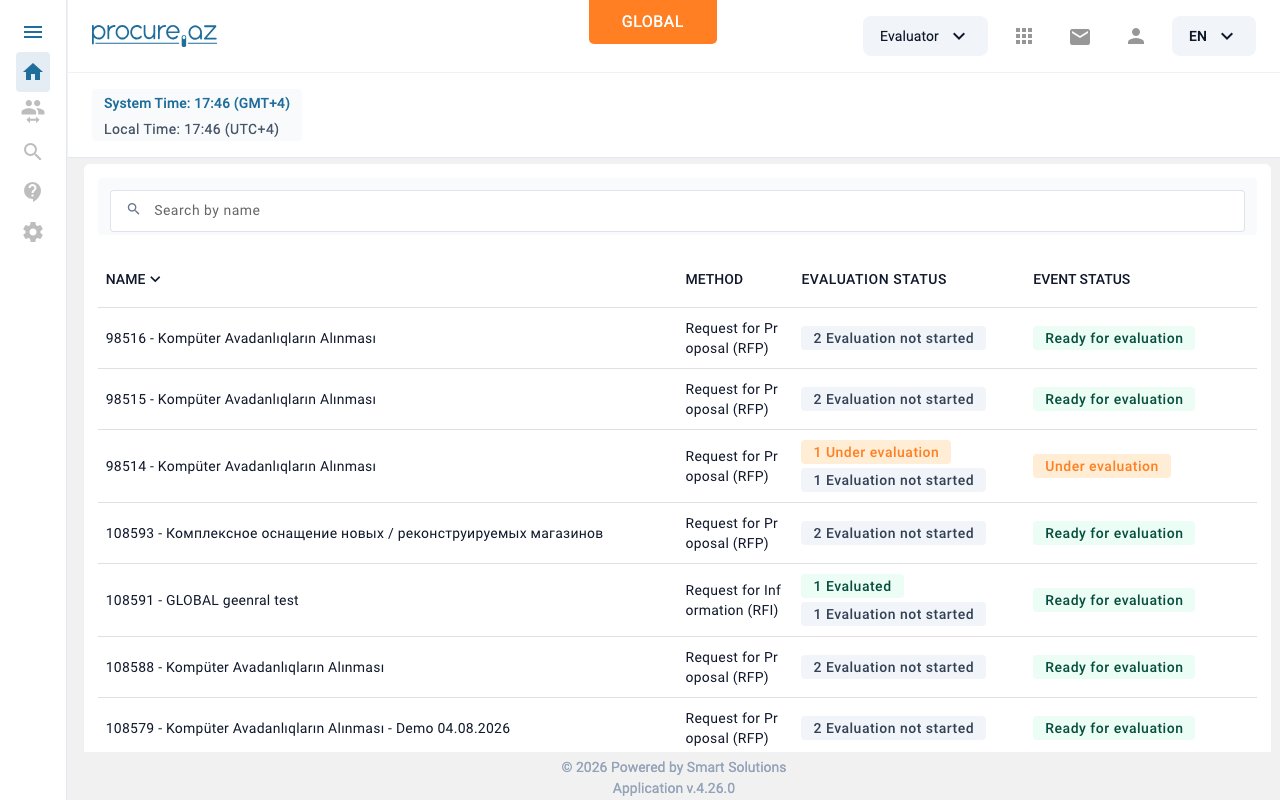
Good to know
Section titled “Good to know”- Work units open one after another: here, after SUBMIT on Keyfiyyət the next unit (Çatdırılma) moved from “Evaluation not started” to “Under evaluation”.
- Supplier names are hidden (Supplier 1, Supplier 2…) when the buyer turned on Hide supplier name in the technical criteria.